
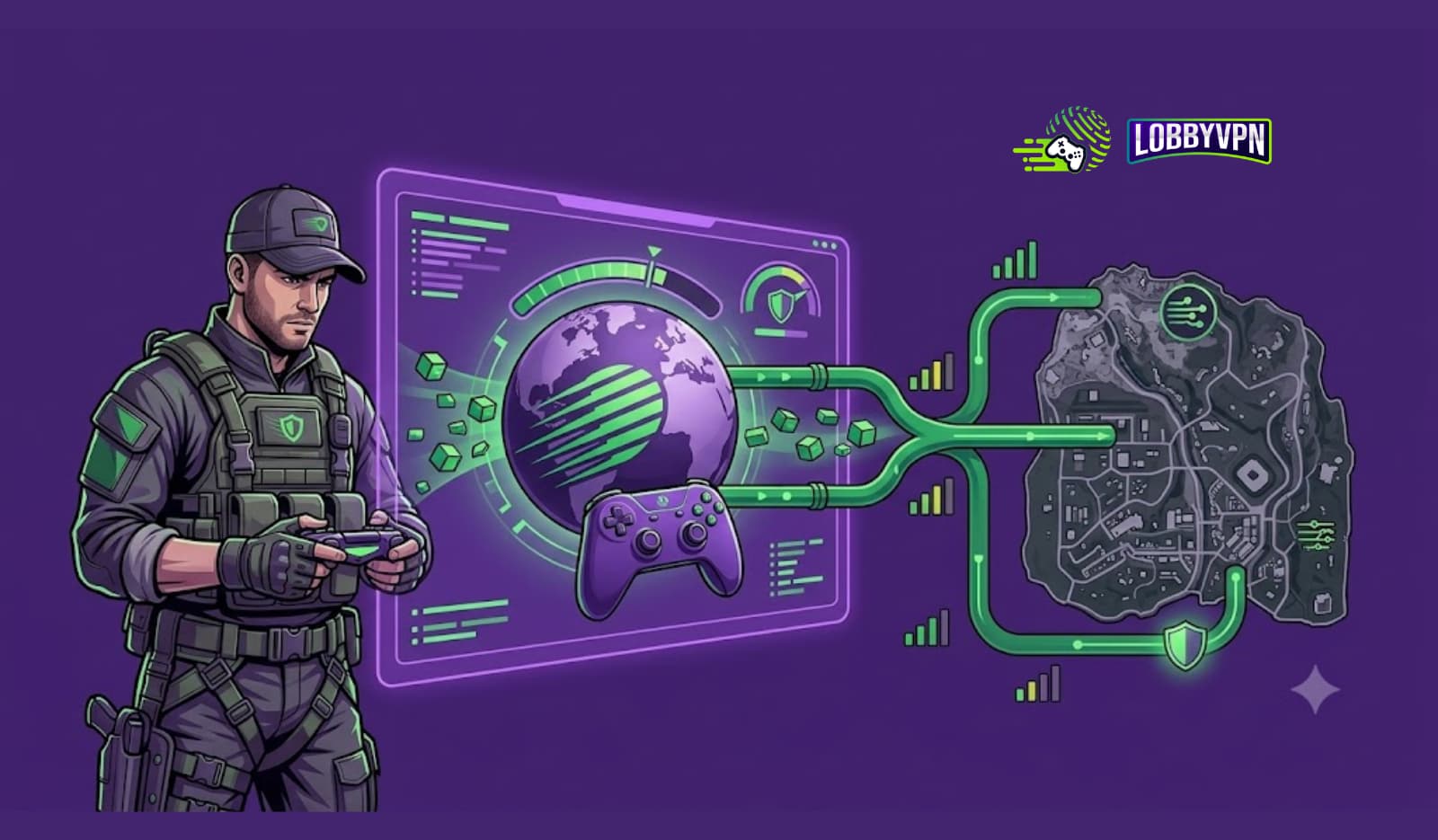
Every bullet you fire in Call of Duty weighs about as much as a text message.
That single fact reorganizes everything most players believe about their connection. Getting Call of Duty bandwidth explained properly means starting at the packet level — the tiny bursts of data carrying your movements, shots, and hit confirmations — and building up to the numbers on your screen: the mysterious bandwidth stat in the network menu, the “low bandwidth” warning that panics fiber customers, and the packet burst icon that flashes at the worst possible moments.
Consider this the textbook chapter the game never shipped. By the end, you will know exactly what data travels during one gunfight (and in which direction), how much each COD mode genuinely consumes, why the in-game bandwidth number stays tiny on purpose, how bandwidth interacts with ping, jitter, and packet loss — and which settings actually move each of those needles. If you arrived with one narrow question — whether your specific plan is fast enough — our companion piece answering “Is 100 Mbps enough for Call of Duty?” gives the buying-decision version; this guide is the understanding underneath it.
We spend our days at Lobby VPN watching COD traffic behave in the wild, and this is the explainer we hand new team members. No folklore, no upgrade upselling — just the anatomy of a connection, one packet at a time.
The One-Paragraph Definition
Bandwidth in Call of Duty is the data throughput the game consumes and reports — the size of the stream flowing between your device and Activision’s dedicated game servers, typically just 0.3–1 Mbps during live play. It measures volume, not speed: how much data moves, never how quickly individual packets arrive. The in-game bandwidth stat shows this live throughput (which is why the number looks small on every connection), while lag, rubber-banding, and packet burst trace to timing problems — latency, jitter, packet loss — that bandwidth figures cannot see.
Hold the volume-versus-timing distinction; every section below is that one idea wearing different clothes.

The Journey of One Gunfight: COD Netcode, Traced
Follow the data of a single engagement and bandwidth stops being abstract.
Step 1: Your input leaves home (upload). You press fire. Your client bundles that input — aim vector, trigger state, movement — into a small UDP packet, typically a few hundred bytes, and sends it toward the dedicated server. Clients transmit these updates dozens of times per second, which sounds heavy until the math lands: even 60 tiny packets per second totals a fraction of a megabit.
Step 2: The server runs the world (processing). Activision’s dedicated game servers collect every player’s inputs, simulate the tick — who shot whom, who moved where — and author the authoritative result. Nothing about your bandwidth influences this step; the server’s tick and send rates are the server’s decision, a point we return to because it kills a popular myth.
Step 3: The world comes back (download). The server sends you a snapshot: the compressed state of everything relevant near you — enemy positions, projectiles, damage events. Snapshots outweigh inputs (Warzone’s 150-player world has more to describe than a 6v6 lobby), yet community netcode analyses — Battle(non)sense’s measurement series being the most cited — clock total match streams well under 1 Mbps.
Step 4: Your screen renders the verdict. Your client interpolates between snapshots to draw smooth motion — which is exactly why consistency of arrival matters more than volume. A snapshot arriving late or out of rhythm forces the interpolation to guess; enough guesses in a row and you rubber-band.
The moral of the trace: Call of Duty is a metronome, not a firehose. It streams small packets on a strict rhythm, and everything players experience as “connection quality” is that rhythm holding or breaking — with total volume so small that a modern plan barely registers it.
What the In-Game Bandwidth Stat Actually Measures
Open Settings → Account & Network → Network Info (or enable the in-match telemetry overlay) and COD shows a bandwidth figure that confuses more players than any other number in the menu. Decoded:
It reports live throughput, not capacity. The stat displays what the game is currently sending and receiving — which, per the trace above, is genuinely tiny. A reading under 1 Mbps on a 500 Mbps fiber plan is not a malfunction; it is a healthy match doing exactly what the netcode designed.
Small is the success state. Players routinely read the low figure as the game “not getting enough” — inverted. The game takes what it needs and needs little; a bandwidth stat that spikes usually means on-demand texture streaming woke up, not that gameplay improved.
The “low bandwidth” warning is about delivery, not plan size. When COD flags low bandwidth, it has detected expected data failing to arrive on schedule — the signature of contention, Wi-Fi instability, or a saturated upload lane. This is why the warning famously strikes gigabit customers: their pipe is enormous while their delivery rhythm is broken, typically by a router queuing under household load or by interference. Treat the warning as a stability alarm wearing a misleading name.
Reading it alongside its neighbors is the actual skill. Bandwidth steady + latency spiking = queuing or routing trouble. Bandwidth steady + packet loss climbing = physical-layer or Wi-Fi trouble. Bandwidth collapsing intermittently = something upstream is strangling delivery. The diagnostic pairings do the work no single number can.
Bandwidth Usage by Mode: The Real Numbers
The reference table — how much bandwidth Call of Duty uses across its ecosystem:
| Activity | Continuous Draw | Data Per Hour | Notes |
|---|---|---|---|
| Multiplayer (6v6 / 12-player) | ~0.3–0.5 Mbps | ~50–80 MB | The metronome baseline |
| Warzone (150 players) | ~0.5–1 Mbps | ~80–120 MB | Bigger snapshots, same rhythm |
| Ranked / competitive modes | ~0.3–0.6 Mbps | ~60–90 MB | Identical netcode class |
| Call of Duty Mobile | ~0.2–0.4 Mbps | ~30–60 MB | Leaner mobile snapshots |
| Voice chat (in-game/Discord) | ~0.05–0.1 Mbps | ~30–50 MB | Rides the upload lane |
| Spectating / killcams | Included above | — | The server keeps streaming |
| On-demand texture streaming | 1–25+ Mbps | 0.5–10+ GB | The optional elephant — cap it in settings |
| Game install / seasonal patch | Full line speed | 20–100+ GB per event | Where plans earn their Mbps |
Two readings of the table matter. Vertically: gameplay rows cluster under 1 Mbps regardless of mode — Warzone’s chaos costs bytes, not megabits. Horizontally: the outliers (texture streaming and patches) are elective and schedulable, meaning every genuine bandwidth problem in COD is either a setting you can cap or a download you can move to 3 a.m.
Upload vs Download: The Two-Lane Anatomy
Bandwidth conversations default to download speed, yet the gunfight trace showed traffic flowing both ways — and the two lanes fail differently.
The download lane carries the world to you: snapshots, texture streams, patches. It is the lane plans are marketed on, the wide one, and consequently the one that almost never bottlenecks gameplay.
The upload lane carries you to the world: your inputs, your voice, your broadcast if you stream. On cable plans this lane is often a tenth of the download’s width — 100/10, 300/20 — and here the anatomy turns dangerous, because everything time-critical you produce squeezes through it. Saturate the upload (one cloud photo backup, one Discord screen-share, one background console upload) and your input packets queue behind the backlog. The server keeps simulating ticks without your delayed inputs; your client keeps rendering a world that briefly stopped listening to you. Players experience this as the game ignoring their trigger — because, mechanically, it did.
The asymmetry produces this guide’s most practical rule: when COD misbehaves on a fast connection, audit the upload lane first. It is the narrow bridge on the two-lane road, the side speed tests underreport, and — per the support archaeology below — the culprit in a startling share of “unstable connection” mysteries.
The Supporting Cast: How Bandwidth Interacts With Ping, Jitter, and Loss
Bandwidth never acts alone — the Call of Duty bandwidth vs ping question, and its cousins, resolve into one interaction matrix:
| Metric | What It Measures | Relationship to Bandwidth | What Breaking It Feels Like |
|---|---|---|---|
| Ping (latency) | One packet’s round-trip time | Independent above a tiny threshold — more lanes never shorten the trip | Delayed peeks, dying behind cover |
| Jitter | Variability in ping | Indirect: bandwidth contention creates queues, queues create jitter | Hitreg rhythm breaks; “my shots aren’t counting” |
| Packet loss | Packets that never arrive | Independent — loss lives in interference and bad hops, not thin pipes | Teleporting players, rubber-banding |
| Packet burst | Packets arriving in clumps | Contention-linked: saturated lanes clump delivery | Stutters exactly when fights start |
The matrix explains the paradox this whole guide orbits: bandwidth problems in COD are almost always contention problems in disguise. Your line being “too slow” is rare; your line being momentarily full — a patch, a backup, a stream — creating queues that spike jitter and clump packets is the everyday reality. That is also why the fix list never starts with “buy more Mbps”: it starts with managing what shares the line. The deep dive on that mechanism (bufferbloat, Smart Queue Management, and the router-side fixes) lives in the companion 100 Mbps article; here, carry the one-line version — a full lane is a slow lane, whatever its width.
Requirements vs Reality: What Activision Asks, What You Need
Officially: Activision’s connection requirements for Call of Duty are famously modest — broadband-class service with speeds measured in single-digit Mbps, reflecting the sub-1 Mbps gameplay reality. Platform storefronts (Battle.net, Steam, Xbox, PlayStation) impose no additional speed floor beyond what downloads demand of your patience.
Practically: the comfortable modern setup is 50–100 Mbps down for patch-day sanity and household headroom, 10–20 Mbps up so the critical lane has margin, and — above all — stability: wired connectivity, managed queues, and clean routing. Note what that spec optimizes for: the download number serves logistics (100+ GB installs, 30 GB seasonal patches for Modern Warfare and Black Ops titles), while the upload and stability lines serve the actual gunfights.
The honest hierarchy, ranked: connection stability first, upload headroom second, routing quality third, download speed a distant fourth. Every tier of that hierarchy is addressable without calling your ISP — which is precisely what the next section does.
How to Optimize Bandwidth in Call of Duty
“How to improve bandwidth in Call of Duty” really means improving delivery — here is the tune-up, ordered by impact:
Step 1: Cap On-Demand Texture Streaming
The single in-game bandwidth setting that matters. In graphics settings, disable on-demand texture streaming or cap its allowance to a low figure; the cosmetic gain never justifies letting an optional feature out-draw the match twentyfold, especially on shared or upload-thin lines.
Step 2: Wire the Critical Device
Ethernet removes the interference jitter that impersonates every problem in the matrix above. Where cabling is genuinely impossible, our guide on how to reduce lag spikes over Wi-Fi recovers a meaningful share of the wired advantage through channel, band, and placement work.
Step 3: Clear the Upload Lane
Audit what shares it: cloud backups, console background uploads, second-screen broadcasts. Schedule or QoS-limit them, and treat any evening lag episode as an upload-graph investigation first.
Step 4: Schedule the Heavy Freight
Patches and installs run overnight. Sharing a live match with a 40 GB download is voluntary congestion — the game’s metronome drowning in your own freight traffic.
Step 5: Tune Name Resolution
Every login, lobby, and service handshake begins with a DNS lookup, and slow resolvers tax them all. Our roundup of the best DNS servers for gaming benchmarks the fast options and walks the per-platform setup — a five-minute change that trims the connection’s overhead everywhere it talks.
Step 6: Verify by Telemetry
The in-game overlay before and after each step, same server, same hour: bandwidth steady, latency flat, loss at zero, burst icon dark. The numbers certify the tune-up — or point at the step you skipped.
Where a VPN Fits Into the Bandwidth Picture
Placed carefully, because this is where honest explainers and marketing usually part ways.
A VPN does not create bandwidth — tunneling costs a small slice of raw throughput, irrelevant at COD’s sub-1 Mbps draw but worth stating plainly. What a tunnel changes is the route and the treatment of your packets, which touches three real problems in this guide’s territory. ISP traffic shaping first: some providers deprioritize UDP game traffic at peak hours, and encrypted packets cannot be classified for that treatment — shaping simply ends. Evening route congestion second: your ISP’s path to Activision’s servers is chosen for cost, and a well-peered exit near the game’s data center can sidestep rush-hour exchanges, steadying or lowering ping despite the tunnel’s 2–5 ms protocol overhead — the engineering behind that small number is covered in our benchmarks of the best VPN protocols for gaming. Exposure third: visible players attract DDoS floods, and absorption infrastructure is a protection category no bandwidth tier provides.
The equally honest exclusions: a tunnel cannot fix Wi-Fi interference, cannot clear your own saturated upload, and cannot un-bloat your router’s queues — steps 1 through 4 above remain yours. The player who benefits is specific and testable: clean local telemetry, evening-only ping inflation, or shaped traffic. Ten minutes of before-and-after overlay reading settles it per route.
Expert Insights from the Lobby VPN Team
Patterns from the connections we’ve actually diagnosed:
Insight 1: The console background upload is the invisible saboteur. A recurring mystery — flawless PC telemetry, lag anyway — traced repeatedly to a PlayStation or Xbox on the same network quietly uploading capture clips and sync data. The gaming device was innocent; its roommate was flooding the shared upload lane. Household-wide auditing, not device-level, finds these.
Insight 2: “More bandwidth = more updates” is the myth that will not die. Players upgrade plans expecting the server to send them the world more often. Send rates are server-side decisions — netcode analysts like Battle(non)sense have documented them per title for years — and no consumer plan changes them. Bandwidth buys download speed; the metronome’s tempo belongs to Activision.
Insight 3: The speed-test-during-a-match experiment converts skeptics instantly. We ask doubting players to run a speed test mid-match and watch the overlay: bandwidth barely flinches, while ping spikes violently — the test’s traffic filling queues. One demonstration teaches the volume-versus-timing distinction better than any article, including this one.
Insight 4: Double NAT masquerades as a bandwidth problem. Several “unstable connection” cases resolved not in any speed setting but in discovering an ISP modem-router chained to a personal router, double-translating every packet. Symptoms — intermittent warnings, party-chat failures, burst icons — read like starvation; the cure was bridge mode. When the numbers make no sense, audit the topology.
Insight 5: Discord screen-share is the ranked-night assassin. The pattern repeats weekly: a squad starts sharing gameplay to the group mid-session, the sharer’s upload saturates, and their shots stop registering while everyone blames servers. Capping share quality — or moving the broadcast off the gaming device — resolves it every time. The two-lane anatomy section exists because of tickets like these.
Statistics and Data: The Reference Numbers
Citable figures, sources named:
- Live COD match traffic runs ~0.3–1 Mbps (50–120 MB per hour by mode), against installs exceeding 100 GB and seasonal patches routinely passing 30 GB — the volume gap that defines every bandwidth conversation. (Activision guidance; ISP usage analyses)
- Server send and tick rates are fixed server-side per title and mode, documented across the community’s netcode measurement literature — client bandwidth upgrades do not change update frequency. (Battle(non)sense netcode analyses; developer GDC talks)
- Activision’s official connection requirements sit in single-digit Mbps territory, far beneath common broadband tiers. (Activision support documentation)
- Packet loss above 1–2 percent degrades gameplay visibly, independent of line speed — the loss threshold every diagnostic should check first. (Game networking literature)
- One 4K stream draws ~25 Mbps — roughly 25–50x a COD match — quantifying exactly what “household headroom” protects against. (Streaming platform specifications)
- Competitive play targets sub-30 ms ping with 100+ as a handicap, and jitter consistency predicts feel better than the average — the timing metrics bandwidth cannot buy. (Activision network guidance; esports standards)
- WireGuard-class tunnels add just 2–5 ms of protocol overhead, the margin that makes routing corrections a net win on shaped or congested paths. (Independent protocol benchmarks; ProPrivacy testing)
The quotable synthesis: Call of Duty’s bandwidth story is a rounding error wrapped in a mystery stat — the game whispers, and everything players blame on volume is actually timing.
Common Bandwidth Misconceptions
- “The in-game bandwidth number is low — something’s wrong.” Low is healthy; the game sips by design. Spikes, not small readings, deserve investigation.
- “More Mbps means the server updates me faster.” Send rates are Activision’s, fixed server-side. No plan changes the metronome’s tempo.
- “The low bandwidth warning means I need a bigger plan.” It flags delivery instability — queues, interference, upload saturation — and strikes fiber customers daily.
- “Download speed is the number that matters.” Gameplay’s critical traffic rides the upload lane, the thin one nobody audits.
- “Bandwidth and ping are basically the same thing.” Volume versus timing — lanes versus travel time — and gunfights are decided entirely by the second.
- “Texture streaming is just graphics.” It is the one in-game feature that consumes real bandwidth continuously, and the first setting to cap on constrained lines.
- “A speed test proves my connection is fine.” It measures idle capacity — precisely the condition your lag never occurs in. Telemetry under load is the honest witness.
- “Packet burst means my internet is too slow.” It means packets are arriving in clumps — contention, interference, or routing — and the causes rank the fixes.
- “A VPN adds bandwidth.” It changes routes and defeats shaping; capacity stays your ISP’s. The benefit is timing, verified by testing.
- “Warzone must need way more internet than 6v6.” Bigger snapshots, still under 1 Mbps — bytes, not megabits, separate the modes.
Best Practices for COD Network Performance
- Learn the overlay and trust it over folklore: bandwidth, latency, loss, and burst together tell the story no single stat can.
- Cap texture streaming, wire the device, clear the upload lane, schedule the freight — the four-move tune-up that outperforms any plan upgrade.
- Audit the whole household, not just the gaming device; consoles, phones, and screen-shares saturate shared lanes invisibly.
- Rank your spending by the honest hierarchy: stability, upload headroom, routing quality, then download speed — most budgets run it backwards.
- Test routing empirically where evening inflation appears; the protection-and-routing layer competitive players actually need is mapped in our complete guide to the gaming VPN for COD players.
- Re-run the telemetry check each season; patches shift netcode behavior and data-center assignments quietly.
- Start any tunnel experiment at zero cost — the reputable tiers ranked in our best free VPN for Call of Duty guide make the before/after test free.
- Choose providers by published numbers when you upgrade anything — router, plan, or tunnel; adjectives are what vendors print instead of data, and our criteria-first rankings of the best VPN for gamers show what auditable claims look like.
Frequently Asked Questions
What does bandwidth mean in Call of Duty?
It is the data throughput between your device and the game’s dedicated servers — the volume of the stream, typically just 0.3–1 Mbps during matches. The in-game stat reports this live figure, which is why it looks small on every connection; small is the healthy state.
How much bandwidth does Call of Duty use?
Roughly 50–80 MB per hour in standard multiplayer, 80–120 MB in Warzone, and 30–60 MB in Call of Duty Mobile — under 1 Mbps continuously. On-demand texture streaming can add 1–25+ Mbps on top, which is why capping it is the first optimization.
Does Call of Duty require high bandwidth?
No — official requirements sit in single-digit Mbps, and actual gameplay draws less still. High bandwidth serves downloads (100+ GB installs, 30 GB patches) and household headroom; the gameplay experience is governed by latency, jitter, and loss.
Is bandwidth important for Call of Duty?
At the extremes and for logistics, yes; for moment-to-moment play, barely. Below a few Mbps or under heavy contention, problems appear — above that, stability and timing metrics own the experience entirely.
Why is Call of Duty showing low bandwidth?
The warning fires when expected data stops arriving on schedule — contention on your line, Wi-Fi instability, or a saturated upload — not when your plan is too small. Fiber customers see it regularly; the cure is stability work, not a speed upgrade.
What is the difference between ping and bandwidth in COD?
Bandwidth is volume (how much data per second — highway lanes); ping is timing (one packet’s round trip — travel time). Matches move tiny amounts of data where every packet’s punctuality matters, so ping decides fights while bandwidth mostly decides download evenings.
Does bandwidth affect Call of Duty gameplay?
Directly, only when scarce or contended. Indirectly, contention matters enormously: a line momentarily filled by other traffic creates queues, queues create jitter and packet burst, and those are gameplay. A full lane is a slow lane, whatever its width.
How do I fix packet burst in Call of Duty?
Work the clump-makers in order: wire the connection (interference leads), clear and QoS the upload lane, cap texture streaming, move downloads off live sessions, and test alternate routing if evening congestion persists. The overlay confirms each step.
Why is my Call of Duty connection unstable on fast internet?
Because stability and speed are independent axes: Wi-Fi interference, upload saturation, router queuing under household load, double NAT, and congested ISP routes all coexist with a fast plan. The diagnostic shortlist above finds the culprit; the plan is rarely on it.
What are the best bandwidth settings for Call of Duty?
Cap or disable on-demand texture streaming, keep the game’s traffic on a wired path, reserve upload headroom via router QoS, and leave the rest of the network settings at defaults — the game manages its own stream well once delivery is stable.
Can a VPN improve my Call of Duty connection?
On shaped or congested routes, measurably: encryption ends ISP traffic classification, and well-peered exits sidestep evening exchange congestion, steadying ping despite a 2–5 ms overhead. On clean routes, expect little — the before/after overlay test settles it in ten minutes.
Does Warzone use more bandwidth than regular multiplayer?
Somewhat — larger snapshots describing 150 players push it toward ~0.5–1 Mbps versus multiplayer’s ~0.3–0.5 — but both sit far beneath any modern plan’s capacity. Mode choice never justifies a bandwidth upgrade.
How much internet speed do I need for Call of Duty overall?
Comfortably: 50–100 Mbps down for patches and household sharing, 10–20 Mbps up for the critical lane, and stability above all. For the full plan-shopping analysis, our companion guide on whether 100 Mbps is enough runs the complete buying math.

Conclusion: The Game Whispers — Learn to Hear It
Call of Duty bandwidth, fully explained, turns out to be a story about smallness: inputs the size of text messages, snapshots compressed to whispers, a match stream that rounds to zero on any modern plan. The number on your screen is tiny because the design is tiny — and every genuine connection problem lives in the timing layer that volume metrics cannot see. Master the vocabulary (throughput versus latency, contention versus capacity, the two unequal lanes) and the mysterious warnings become diagnostics; master the six-step tune-up and most of them stop appearing at all.
The competitive edge, in the end, is literacy. Players who read the overlay fluently fix in minutes what upgrade budgets never touch — and route around the one leg of the journey, the ISP’s evening path, that no local setting reaches.
Key Takeaways
- COD bandwidth is volume, not speed: 0.3–1 Mbps of live throughput, reported honestly by an in-game stat that is supposed to look small.
- The netcode is a metronome: tiny packets on a server-set rhythm — send rates that no consumer plan upgrade can change.
- The upload lane is the critical one: inputs, voice, and broadcasts squeeze through the thin side, and saturating it is the everyday “unstable connection.”
- Contention masquerades as scarcity: a momentarily full lane creates the jitter and packet burst players blame on plan size.
- The tune-up beats the upgrade: cap texture streaming, wire the device, clear the upload, schedule the freight, tune DNS, verify by telemetry.
- Routing is the layer settings can’t reach: shaped or congested ISP paths yield to tunneled routes — a testable, route-specific win.
The Timing Layer Is Ours — Lobby VPN
Everything in this guide that volume cannot buy is what Lobby VPN engineers for: WireGuard-first tunnels whose 2–5 ms overhead disappears inside the metronome, exits peered near Call of Duty’s data centers to bypass evening exchange congestion, encryption that ends ISP traffic shaping outright, and DDoS-absorbing infrastructure for the players whose lobbies watch them back. Your bandwidth was always enough — your route is the open question.
Answer it at lobbyvpn.com: overlay open, same server, same hour, tunnel off then on. Ten minutes of telemetry beats ten years of folklore.