
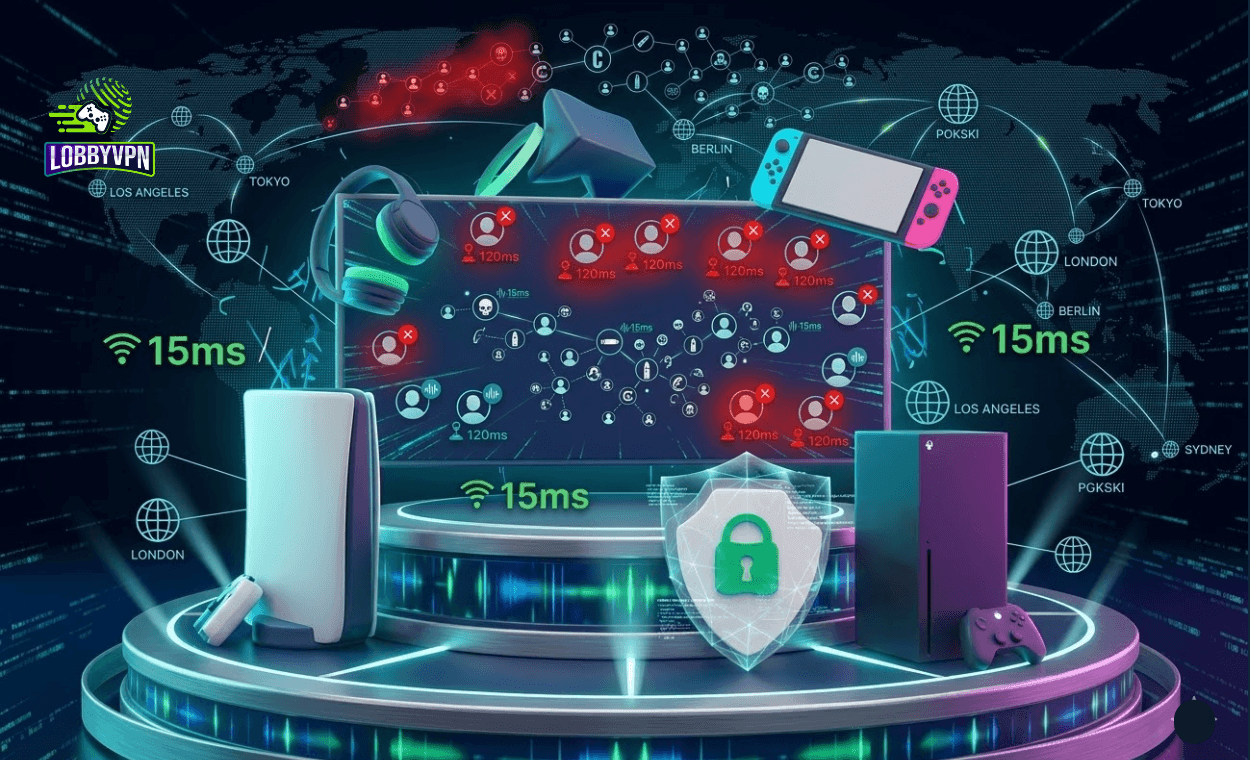
Suppose, you just got through a ten-hour workday. You sit down, boot up Call of Duty, and within two minutes you are staring at a death recap that makes zero sense. Full health. You pre-aimed the corner. Your shots hit first. Still dead.
That is not always lag. And it is definitely not always a skill gap. Sometimes the problem is matchmaking itself, and that is a problem a Call of Duty VPN is specifically designed to address.
More players than ever are turning to a VPN for COD to take back some control over how and where they match up. Done correctly, it shifts your lobby pool, stabilizes your connection, and hides your IP from the kind of people who DDoS over a kill streak. Done poorly, it adds 90ms of lag and makes everything worse.
This article cuts through the noise. You will walk away knowing exactly how a Call of Duty VPN works, which mistakes to avoid, which server regions actually produce results, and why a purpose-built solution like Lobby VPN is worth your attention.
How a Call of Duty VPN Actually Works?
A VPN reroutes your internet traffic through a server positioned in a different geographic location. That server becomes the visible origin point of your connection, which directly influences how Activision’s matchmaking system reads your session.
Call of Duty uses your IP address, connection metadata, and regional data to decide which server cluster to route you into. Change your apparent origin, and you change the matchmaking pool. That is the core mechanic behind every Call of Duty VPN strategy.
The practical benefits stack up quickly when the setup is right:
- Your real IP address stays hidden from other players and potential attackers
- You enter regional matchmaking pools with smaller or less competitive player bases
- Connection routing through optimized servers can reduce effective latency
- Lobby quality becomes more predictable and consistent session to session
The goal is not to cheat. A VPN does not touch game files, inject code, or give you mechanical advantages. What it does is reframe where the matchmaking system thinks you are playing from. That single shift can dramatically change who you share a lobby with.

VPN and SBMM: The Relationship Players Misunderstand
Skill-Based Matchmaking has been the loudest debate in the Call of Duty community for years. The system pairs players based on performance history, which creates lobbies that feel grueling even during casual sessions.
Here is what most people get wrong about VPN and SBMM: a VPN does not erase your skill profile. Activision stores that data server-side. Your K/D, win rate, and performance metrics travel with your account regardless of where your traffic appears to originate.
What a VPN does influence is the regional player pool that SBMM draws from. Smaller regional pools mean the algorithm has fewer options to pull high-skill players from. The result tends to be lobbies that are noticeably more balanced for casual and mid-tier players.
Think of it this way: SBMM is the filter, and the regional server is the bucket it filters from. A Call of Duty VPN lets you choose a smaller bucket. The filter still applies, but the options inside it are different.
That nuance matters when setting expectations. Players who expect a VPN to instantly produce bot lobbies will be disappointed. Players who use it as a strategic tool to tilt the odds over dozens of sessions will notice a genuine difference.
The Best Server Locations for Call of Duty VPN Users
Region selection is where most players either win or waste their time. Connecting to a random server and hoping for the best is not a strategy.
The best server locations for Call of Duty VPN users share three consistent characteristics: moderate active player populations, lower average engagement hours compared to North America and Western Europe, and proximity to Activision server infrastructure.
Regions that have historically delivered results include:
- Middle East and North Africa: A large but casual player base with regional server infrastructure anchored in Bahrain. Off-peak hours here tend to produce relaxed lobbies with stable ping from European and Asian VPN entry points.
- Southeast Asia: An active regional scene with a spread of skill levels. Players connecting through Singapore or Jakarta-based servers often find lobby quality more manageable than their home region during peak hours.
- South America: A significant player pool that skews toward casual and mid-tier engagement. Brazil-based server connections can work particularly well during North American off-peak windows.
- Eastern Europe: Solid network infrastructure and a less saturated competitive player base compared to Western European servers. Countries like Poland and Romania have proven effective for UK and Central European players.
None of these are guaranteed hits every session. Time of day matters enormously. Testing the same region across five or more sessions before drawing conclusions gives you actual data rather than one-off impressions.
Lobby VPN removes the guesswork from this process. Its server network is built specifically around Call of Duty matchmaking cluster geography, which means players start with accurate targets rather than experimenting blindly.
Console vs PC: What Changes and What Stays the Same
A common question is whether the console vs PC setup changes the VPN strategy itself. On the matchmaking side, the answer is no. The regional logic, server selection principles, and expected outcomes are identical regardless of platform.
The difference shows up entirely in the setup process.
PC players have the simplest path. Install a VPN client, choose a server, launch Call of Duty through Battle.net or Steam. The VPN operates at the OS level, so all traffic routes through it automatically. Setup takes two minutes.
Console players face more steps because PlayStation and Xbox do not natively support VPN applications. Three approaches work well in practice:
- Router-level configuration: Set up the VPN directly on your router. Every device on the network benefits, including your console, with no per-session manual steps. This requires a router that supports VPN passthrough or custom firmware like DD-WRT or Tomato.
- PC hotspot method: Run the VPN on a Windows or Mac machine and share the connection to your console via a wireless or wired hotspot. Works well as a temporary or testing setup.
- Smart DNS routing: Some providers offer this as a lighter alternative. It changes your apparent location without encryption, which reduces setup complexity but sacrifices IP protection.
For console players who game daily, the router-level setup is worth the one-time effort. Once configured, it runs completely in the background without any friction at session start.
Lobby VPN supports both console and PC configurations and provides step-by-step documentation for each approach.
Common VPN Mistakes That Kill the Experience
Most players who try a Call of Duty VPN and quit are not abandoning a failed method. They are bailing on a setup that was broken from the start. The mistakes are consistent and avoidable.
Choosing a Privacy VPN Over a Gaming VPN
Privacy-focused VPNs optimize for encryption strength, no-log policies, and geographic flexibility. Those are legitimate priorities for protecting sensitive data. Gaming requires something different: minimal latency, stable routing, and servers positioned near game infrastructure.
Using a privacy VPN for Call of Duty is like using a delivery truck for a road race. The tool is not built for the task. Performance suffers accordingly.
Picking Server Locations Without Logic
Connecting to the farthest possible server and expecting easier lobbies is wishful thinking. Matchmaking benefits come from specific regional pool dynamics, not raw distance. Without understanding which servers interact with which CoD matchmaking clusters, random selections often just add lag with no lobby improvement to show for it.
Accepting High Ping as a Trade-Off
A VPN adds a layer to your connection. That does not have to mean painful latency. Well-architected gaming VPNs minimize this impact through optimized routing and low-latency server infrastructure. Free or budget VPNs cut corners here, which is why players end up with easier lobbies they cannot actually play in. Both problems persist, and neither gets solved.
Testing Once and Quitting
Lobby quality shifts based on time of day, active player counts, and seasonal changes in how many people are playing CoD. One poor session in a new region tells you almost nothing. A minimum of five sessions spread across different times of day gives you reliable signal. Quitting after one session is the single most common VPN mistake CoD players make.
Running Everything Through the VPN
Routing all traffic through a VPN wastes bandwidth and creates problems with platform services like PlayStation Network, Xbox Live, Discord, and voice chat systems. Split tunneling solves this by routing only Call of Duty traffic through the VPN while keeping everything else on your regular connection. Not every VPN offers this feature. Lobby VPN does, and it makes a noticeable difference in overall session stability.
VPN for Warzone: Does the Strategy Hold Up?
Warzone runs on the same matchmaking backbone as standard CoD multiplayer, but the lobby scale shifts the dynamic. Battle royale matches need 100 to 150 players, which means the matchmaking system draws from a broader geographic spread by design.
A VPN for Warzone follows the same regional logic as multiplayer, but the larger lobby requirement creates more flexibility. The system has to fill seats, which means it pulls from wider pools and accepts more regional diversity per match.
Ping sensitivity also behaves differently in Warzone compared to close-quarters modes. Long-range engagements are less dependent on millisecond-level latency advantages than face-to-face gunfights at five meters. That means a slightly higher VPN-induced latency tends to feel less punishing in battle royale formats.
That said, connection consistency still determines how reliably you experience these benefits. Lobby VPN maintains optimized server routing for all Call of Duty titles, including Warzone, which keeps latency impact controlled even when connecting through distant regional servers.
What Separates the Best Call of Duty VPNs From Generic Options
The VPN market is crowded with services marketing themselves to gamers. Most are general-purpose tools with gaming mentioned in their promotional copy. The actual infrastructure rarely reflects the needs of someone trying to optimize Call of Duty matchmaking.
Evaluating the best call of duty VPNs comes down to a focused set of criteria:
- Measured latency impact: A quality gaming VPN should add no more than 10 to 20 milliseconds on nearby servers. Test with and without the VPN active before committing to any service.
- CoD-relevant server coverage: A large server count means nothing if the locations do not align with Activision matchmaking infrastructure. Thirty servers in the right regions outperforms 3,000 servers positioned randomly.
- Platform support and setup documentation: Console players need clear, tested setup guides. Generic documentation that stops at PC instructions is a red flag.
- Kill switch and DNS leak protection: These prevent your real IP from being exposed if the VPN connection drops mid-session, which matters both for privacy and for stability.
- Split tunneling: Routes only CoD through the VPN. Anything without this feature forces unnecessary trade-offs between gaming and everyday connectivity.
- Dedicated gaming infrastructure: The clearest signal of a gaming-specific VPN is whether its server placement reflects game server geography. Generic providers simply do not build this way.
Lobby VPN was built against exactly these criteria. Every decision in its architecture reflects the specific demands of Call of Duty players rather than the broad requirements of a general internet user base.
Is a Call of Duty VPN Against the Rules?
This question deserves a direct answer. Activision’s terms of service prohibit cheating, exploitation, and the use of unauthorized software that manipulates gameplay to the detriment of other players.
A VPN does not modify game files. It does not provide aim assistance, wallhacks, or any form of mechanical in-game advantage. Millions of players use VPNs daily for privacy, remote work, and network stability without any account action.
Activision does monitor for unusual connection patterns. Routing through servers associated with past abuse or suspicious network behavior could theoretically attract automated flags. That is one more reason to use a purpose-built service with a clean reputation rather than a free tool with an unknown history.
Lobby VPN operates within standard network routing protocols. The service manages connection traffic, not game data. That distinction is technically meaningful and practically relevant for anyone concerned about account safety.
Setting Up a Call of Duty VPN: What to Expect
The actual process is simpler than most players expect. For PC users, the steps are:
- Download and install the Lobby VPN client
- Select a target region based on your goals and current time zone
- Enable split tunneling to route only CoD through the VPN
- Launch Call of Duty and monitor lobby composition over the first few sessions
- Adjust region based on results, logging K/D and overall lobby feel per session
Console players follow the same regional strategy but configure through their router or PC hotspot first. Once the network setup is complete, the in-game experience is identical to the PC workflow.
Expect the first two or three sessions in a new region to feel slightly inconsistent. Matchmaking adapts as it gathers more data from your connection. By session four or five, patterns become clearer and region adjustments become more informed.
The Bigger Picture: Why Your Connection Strategy Matters
Skill matters. Practice matters. Game sense matters. None of that changes.
But none of it operates in a vacuum. A poor connection strategy puts you at a structural disadvantage before a match even loads. Every competitive edge you build through practice gets partially eroded by matchmaking systems that pair you against lobbies designed to test your limits.
A Call of Duty VPN does not replace skill development. What it does is give you an additional variable to control, one that most players either overlook or misuse entirely. When that variable gets handled correctly, the overall experience shifts.
Players who use Lobby VPN consistently report a cleaner, more enjoyable session flow. Not because the product performs miracles, but because it handles the connection layer with the same intentionality that good players bring to their mechanics. The VPN was built for one game. It thinks about that game the way a specialist thinks, not the way a generalist assumes.
Your next session will happen regardless. The question is whether the connection working behind it is pulling in the same direction as your effort on screen.
Lobby VPN was built for Call of Duty players and nothing else. If you are ready to stop leaving your lobby quality to chance, start with a connection built around the game you actually play. Try Lobby VPN and experience the difference a purpose-built solution makes from your very first session.

Frequently Asked Questions
Does a Call of Duty VPN improve lobby quality every session?
Not every session, no. Lobby quality depends on factors including time of day, active player counts, and regional server load. A well-configured Call of Duty VPN consistently tilts conditions in your favor over multiple sessions, but individual matches will always vary. Track results across five or more sessions per region to get a reliable read on performance.
Can Activision ban my account for using a VPN?
Activision has not issued bans for VPN usage alone. A VPN routes your connection traffic and does not modify game files or provide mechanical advantages. Using a reputable, purpose-built service like Lobby VPN avoids the network behavior patterns associated with abuse flags. Free or sketchy VPNs carry more risk because their server infrastructure may have prior abuse associations.
What is the best VPN for Warzone in 2025?
The best VPN for Warzone combines low-latency routing with server coverage in regions that produce manageable matchmaking pools. Lobby VPN was designed specifically for Call of Duty including Warzone, and its optimized routing keeps ping impact minimal across all game modes.
How do I use a Call of Duty VPN on PlayStation or Xbox?
Consoles do not support native VPN apps, so setup requires either a router-level configuration or the PC hotspot method. Router-level setup is the cleaner long-term option and runs seamlessly once configured. Lobby VPN provides tested guides for both approaches tailored to console players.
Will a VPN increase my ping?
A poorly optimized VPN adds significant latency. A gaming-focused VPN like Lobby VPN minimizes this through low-latency routing and servers positioned near actual Activision server clusters. Most players using Lobby VPN on nearby regional servers report latency increases of less than 15 milliseconds, which does not meaningfully affect gameplay.
What is split tunneling and why does it matter?
Split tunneling routes only selected applications through the VPN while the rest of your traffic uses your regular connection. For CoD players, this means the game routes through the VPN while Discord, your browser, and platform services like PlayStation Network run normally. The result is better bandwidth management, fewer platform service issues, and no interference with voice chat.
Does Lobby VPN work on both console and PC?
Yes. Lobby VPN supports PC through a direct client install and console through router-level or hotspot configurations. The matchmaking strategy and server selection logic are the same across both platforms. Lobby VPN provides setup documentation for each approach.
Are free VPNs good enough for Call of Duty?
Free VPNs are generally unsuitable for gaming. They throttle bandwidth, rely on overcrowded server infrastructure, and lack the low-latency routing that CoD sessions require. The result is typically higher ping with no meaningful matchmaking improvement. For a use case as specific as Call of Duty matchmaking optimization, purpose-built paid services are the only realistic option.
How long does it take to see results with a Call of Duty VPN?
Most players notice a shift in lobby composition within the first two to three sessions in a well-matched region. Full pattern recognition typically takes five to seven sessions as matchmaking adapts to your connection and regional pool data stabilizes. Patience and consistent logging of results by region and time of day accelerates the optimization process.