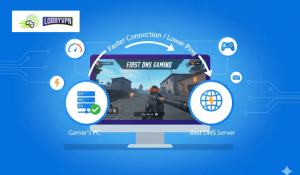
Best DNS Servers for Gaming

Best DNS Servers for Gaming: Faster Ping, Less Lag

Online gaming today is no longer just about reflexes. Network behavior decides who wins the gunfight before the first shot fires. Most players focus on ping, ISP speed, or hardware upgrades. Very few pay attention to DNS. That oversight costs performance. The best DNS servers for gaming can reduce connection delays, stabilize matchmaking, and prevent routing inefficiencies that quietly sabotage competitive play. DNS will not magically erase latency, but when configured correctly, it removes friction that many gamers do not
Read More »
DNS vs VPN

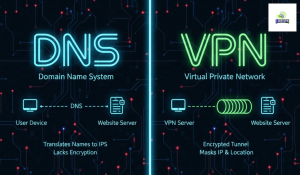
DNS vs VPN: What’s the Real Difference—and Which One Should You Use?

If you’re comparing DNS vs VPN, you’re likely trying to answer one simple question: Do I need speed, privacy, or control—and what’s the right tool for that job? While DNS services and VPNs are often mentioned together, they solve very different problems. Choosing the wrong one can lead to privacy leaks, gaming lag, blocked content, or false expectations. This guide breaks it down clearly—without jargon, bias, or sales noise. What Is DNS (Domain Name System)? DNS is the internet’s address

Read More »
Google DNS for PS5

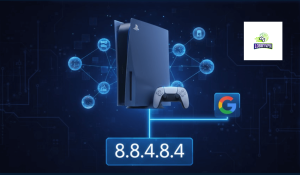
Google DNS for PS5 in 2025: Best DNS Settings for Low Ping & Lag-Free Gaming

Lag ruins immersion. One second of delay can cost a ranked match, especially in fast-paced titles like Call of Duty: Warzone or Warframe. That’s exactly why many competitive players switch to Google DNS for PS5—not as a miracle fix, but as a smart optimization layer. After extensive testing across different regions and ISPs, Google DNS consistently delivers faster domain resolution, fewer handshake delays, and more stable matchmaking connections on PlayStation 5. Let’s break down why it works—and when it’s not

Read More »

Custom DNS Setup for Xbox

⚡ Why Set Custom DNS? Using custom DNS helps improve connection speed, stability, and reduce lag during gameplay.Set these DNS addresses for the best gaming experience: Primary DNS: 185.164.138.20 Secondary DNS: 45.82.67.59 🧭 Step-by-Step Guide Open your Xbox Console. From your controller, go to the Home Screen. Navigate to the top-left corner and select Profile & System. Choose Settings ⚙️ Go to General → Network Settings Select Advanced Settings Choose DNS Settings Select Manual Enter the following: Primary DNS: 185.164.138.20

Read More »