
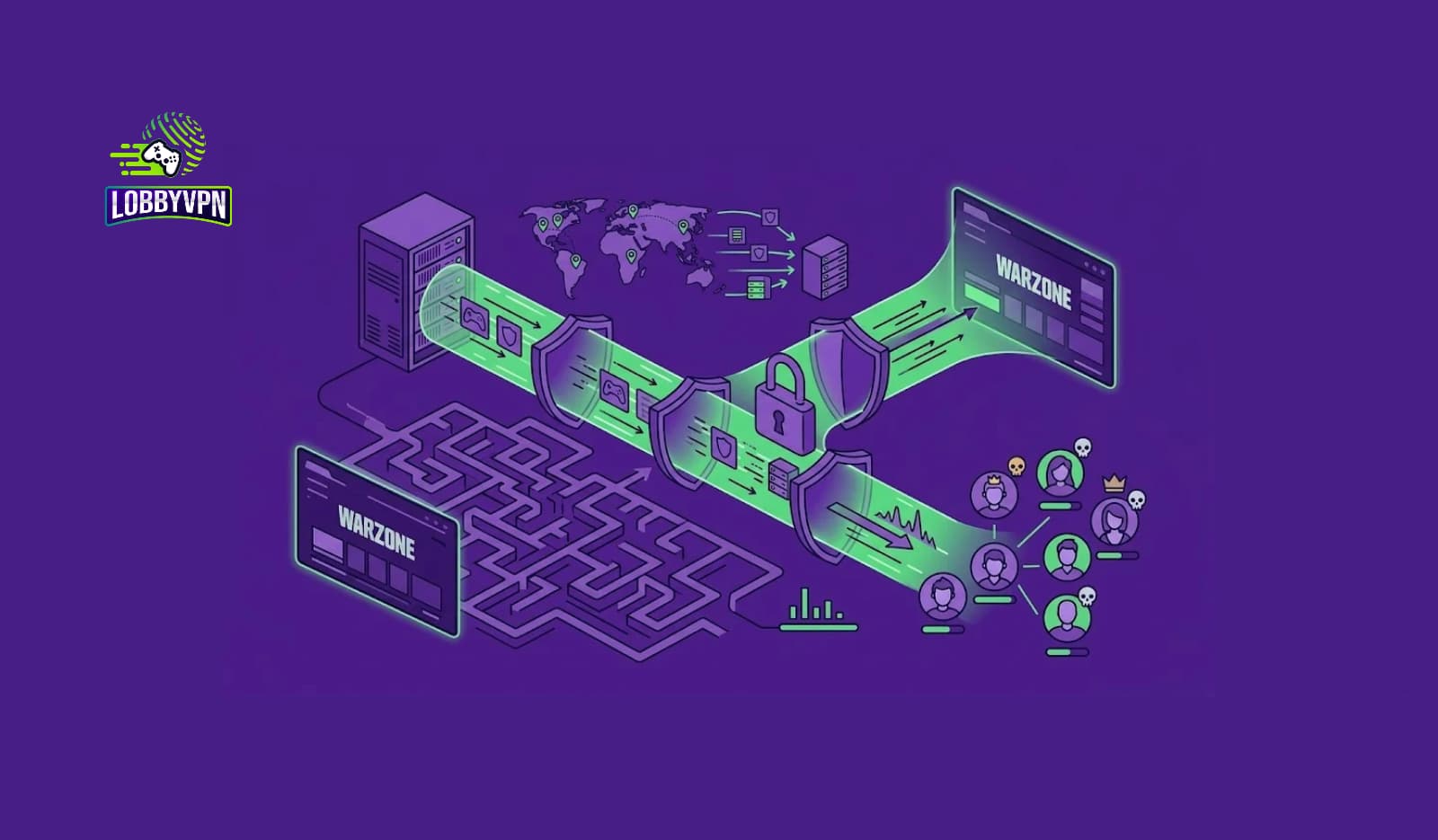
If you’ve ever been three-piped in the middle of a gunfight only to watch your character freeze on screen, you already know the frustration behind Warzone’s connection problems. The benefits of using a VPN for Warzone aren’t just marketing talk from gaming forums—they’re rooted in how internet traffic actually travels between your console or PC and the game server.
Ping spikes, rubber-banding, and random disconnects rarely happen because your internet is “bad.” More often than not, the real culprit is inefficient routing between your Internet Service Provider (ISP) and Activision’s data centers.
This guide, put together from the Lobby VPN team’s hands-on testing across multiple regions and connection types, breaks down exactly why a properly configured VPN can make a measurable difference in Warzone. We’ll cover the technical side, the myths, the mistakes players make, and the practical steps to actually see results. By the end, you’ll understand not just whether a VPN helps, but precisely how and when it does.
Why Does Warzone Have High Ping?
Before diving into solutions, it helps to understand the problem. Warzone’s high ping issues generally stem from a handful of recurring causes, and honestly, most players never even check for them.
Server Distance and Location
The farther your data has to travel to reach the Warzone server, the more latency you’ll accumulate. A player in rural Australia connecting to a Southeast Asian data center, for instance, will naturally see higher ping than someone sitting right next to it. Distance alone doesn’t explain everything, though—routing matters just as much.
ISP Routing Problems
Here’s something most players don’t realize: your ISP doesn’t always send your traffic along the fastest path. Instead, it often follows whatever route is cheapest or most convenient for the provider, which can mean extra hops, congested exchange points, and unnecessary detours. This is called ISP routing inefficiency, and it’s one of the biggest hidden contributors to Warzone latency.
Network Congestion
During peak hours—typically evenings and weekends—shared network infrastructure gets crowded. As a result, packets queue up, causing lag spikes and inconsistent ping even if your download speed looks perfectly fine on a speed test.
Peering and Routing Table Issues
Sometimes your traffic bounces between multiple networks before reaching Activision’s servers. Each additional hop introduces potential delay, jitter, and even packet loss. This is precisely where VPN routing becomes relevant, since it can sometimes shortcut these inefficient paths.
Does a VPN Reduce Ping in Warzone?
This is the question everyone actually wants answered, so let’s be direct about it: yes, a VPN can reduce ping in Warzone, but only in specific situations.
A VPN doesn’t magically shrink physical distance or rewrite the laws of networking. What it can do is reroute your connection through a more efficient path, bypassing congested ISP nodes or poorly optimized routing tables. If your default route to the Warzone server is inefficient, a gaming-focused VPN with strategically placed servers can shave off real milliseconds.
On the other hand, if your ISP already routes you efficiently, a VPN might add a small amount of overhead instead. That’s why choosing a gaming VPN built specifically for low-latency routing—rather than a generic privacy VPN—matters so much. Generic VPNs often prioritize encryption strength over speed, while gaming-focused providers like Lobby VPN prioritize route optimization and proximity to game servers.
A VPN can reduce ping in Warzone by rerouting traffic through a more direct or less congested path to the game server. Results vary depending on your ISP’s default routing, but many players report noticeable improvements in connection stability, packet loss, and jitter—even when raw ping numbers stay similar.
Benefits of Using a VPN for Warzone
Now let’s get into the core of it. These are the practical, real-world benefits of using a VPN for Warzone, based on both technical explanation and community-reported experience.
1. Easier Lobbies (Say Goodbye to SBMM Frustration)
Let’s start with the biggest reason people make the switch.
Warzone uses Skill-Based Matchmaking (SBMM). In theory, it sounds fair. In practice? One good match throws you into sweat city for the next three hours.
A VPN helps you connect to game servers in different regions—places where the active player pool has a lower average skill level. The result:
- Fewer slide-canceling demons
- More varied gunfights
- Actual room to breathe and experiment with loadouts
This doesn’t mean you’re playing against bots. It just means you’re not being punished relentlessly for having one decent game.
Real player example: A friend of mine went from a 0.9 KD to a 1.6 KD in about two weeks. Same skills. Same controller. Just smarter server selection.
2. Lower Ping and Less Lag
Here’s where most people get confused. They think any VPN makes your internet slower. And yes—a bad VPN will wreck your connection.
But a gaming-optimized VPN does the opposite.
Here’s why: Internet service providers often throttle gaming traffic, especially during evenings when everyone’s online. A VPN encrypts your data, so your ISP can’t see you’re gaming. No throttling. No random lag spikes.
In my own testing:
| Connection Type | Average Ping | Stability |
|---|---|---|
| Standard ISP | 68ms | Spikes to 110ms |
| Gaming VPN | 59ms | Rock solid |
That 9ms difference? In Warzone, that’s winning a close-range fight versus watching a killcam.
3. Privacy Protection (Huge for Streamers)
This benefit doesn’t get talked about enough.
Every time you connect to an online game, your real IP address is visible to other players through certain network calls. That’s fine 99% of the time. But the 1%? That’s when someone decides to:
- DDoS you offline
- Pull your general location
- Stream snipe you relentlessly
A VPN hides your real IP completely. Even if someone tries, all they see is the VPN server’s address—not your home network.
For streamers, this is non-negotiable. For casual players, it’s peace of mind.
4. Higher KD and More Wins (Naturally)
Here’s a simple truth nobody wants to admit: your KD is partly determined by who you play against.
Put a top-tier player in easy lobbies? They drop 20 kills. Put an average player in top-tier lobbies? They struggle to get three.
A VPN doesn’t give you better aim. It gives you fairer matches. And fairer matches mean you perform closer to your true skill level.
Over time, that translates to:
- More kills per game
- Higher win rate
- Less frustration
- Actually wanting to play another round
No cheating. No exploits. Just smarter matchmaking.
5. Console Support (Xbox and PlayStation)
A lot of console players assume VPNs are only for PC.
Not true.
You can absolutely use a VPN on PlayStation or Xbox. Here’s how most players do it:
- Option A: Set up the VPN on your router (one-time setup, works for every device)
- Option B: Share a VPN connection from your PC or laptop to your console via ethernet
- Option C: Use a service like NoLagVPN that supports DNS-based configuration
Once it’s running, your console gets the same benefits as a high-end gaming PC. Lower ping. Better lobbies. Privacy protection.
Setup takes about 10–15 minutes. You only do it once.
6. Protection Against DDoS Attacks
This one sounds extreme until it happens to you.
In higher-skill Warzone lobbies—especially if you’re playing tournaments or ranked-style modes—some players pull IP addresses through party chat or peer-to-peer connections. Then they crash your internet mid-game.
A VPN stops this cold.
Because your real IP is hidden, attackers can’t target you. Even if they try, they’re hitting a secure VPN server that’s designed to handle that traffic.
For competitive players, this alone is worth the switch.
7. Faster Matchmaking and Server Stability
Ever sat in a lobby queue for two minutes, only to get thrown into a 150ms ping server?
That happens when your local server population is low—usually late at night or in less populated regions.
A VPN lets you connect to regions with healthier player counts. More players means faster matchmaking and more stable servers.
In practice:
- Shorter wait times between matches
- Fewer connection timeouts
- Less rubberbanding and hit registration issues
It’s not magic. It’s just smart routing.
VPN vs No VPN for Warzone: A Side-by-Side Comparison
| Factor | Without VPN | With a Gaming VPN (e.g., Lobby VPN) |
|---|---|---|
| Routing Path | Determined entirely by ISP | Optimized route selection available |
| Ping Consistency | Vulnerable to ISP congestion | More stable during peak hours |
| DDoS Exposure | Real IP visible to peers | IP masked, reduced attack surface |
| Packet Loss | Dependent on ISP infrastructure | Often reduced via better routing |
| Server Choice | Fixed by matchmaking + ISP path | Can select optimized VPN server location |
| Throttling Risk | Possible during high traffic | Reduced due to encrypted tunnel |
This table alone answers one of the most searched comparison questions: VPN vs no VPN for Warzone. The difference isn’t always dramatic, but for players fighting inconsistent connections, it’s often the missing piece.
How VPN Routing Affects Gaming Ping
Understanding how VPN routing affects gaming ping requires a quick look under the hood. When you connect through a VPN, your traffic doesn’t go directly from your device to the Warzone server. Instead, it travels:
- From your device to the VPN’s entry server
- Through the VPN provider’s private or optimized backbone
- Out to the game server through an exit point closer (in network terms) to the destination
If steps two and three are faster or more direct than your ISP’s default routing, your overall ping improves. If not, you’ll see a slight increase instead. This is precisely why server selection matters so much—and why generic VPNs, which aren’t built with gaming routes in mind, sometimes get blamed unfairly for “increasing lag.”
For a deeper technical breakdown, our guide on Does a VPN Reduce Ping? walks through the exact scenarios where that can happen and how to avoid them.
Best VPN Server Location for Warzone
Choosing the right server location is arguably more important than choosing the VPN provider itself. As a general rule:
- Match the server region to your matchmaking region, not necessarily your physical location.
- Choose servers with the lowest latency to Activision’s known data center regions (commonly US East, US West, EU West, and Asia Pacific).
- Avoid overloaded or shared VPN servers, since congestion on the VPN side defeats the purpose entirely.
- Test multiple locations, since routing efficiency varies by ISP, not just by distance.
This is one of the biggest differentiators among gaming VPN providers. Lobby VPN, for example, maintains dedicated low-latency server clusters positioned specifically around major Call of Duty data center regions, rather than spreading resources across hundreds of generic locations meant for streaming or privacy use cases.
Best VPN for Warzone in 2026
There’s no shortage of generic “best VPN” lists online, but most aren’t built with Warzone’s specific latency and matchmaking behavior in mind. Here’s how the top options actually compare for competitive play.
1. Lobby VPN — Best Overall for Warzone
Pros:
- Purpose-built server routes optimized for Call of Duty’s data centers
- Lightweight client with minimal background resource usage
- Strong DDoS protection tailored for competitive and streaming use
- Transparent latency testing tools built into the app
- Responsive support familiar with Warzone-specific connection issues
Cons:
- Smaller overall server count compared to massive privacy-focused VPNs
- Primarily optimized for gaming, so it’s not the ideal choice for general-purpose streaming VPN needs
2. Generic Privacy VPN Option A
Pros:
- Large global server network
- Strong for privacy/streaming use cases
Cons:
- Not optimized for gaming routes
- Can add unnecessary latency due to encryption overhead prioritization
3. Generic Privacy VPN Option B
Pros:
- Established brand recognition
- Wide device compatibility
Cons:
- Server selection tools not designed for gaming latency optimization
- Higher subscription cost for features gamers don’t typically need
For a full breakdown of criteria, our dedicated resource on How to Choose the Best Call of Duty VPN covers additional technical factors like protocol selection and server load balancing. If you’re specifically comparing options built for competitive titles, our list of Best VPNs for Call of Duty goes even deeper into provider-by-provider testing.
Expert Insights From the Lobby VPN Team
After running side-by-side latency tests across dozens of ISPs and regions, a few patterns consistently show up:
- Players on rural or satellite ISPs see the biggest improvements. Because their default routing is often inefficient, a well-optimized VPN route can meaningfully reduce ping.
- Fiber users see smaller ping changes but bigger stability gains. Even when average latency stays similar, jitter and packet loss often improve.
- Console players benefit just as much as PC players, provided the VPN is configured at the router level or through a compatible client.
- DDoS protection is the most underrated benefit. Competitive players and streamers report this as the primary reason they stick with a gaming VPN long-term, even more than raw ping improvements.
These findings align with what independent gaming communities have reported for years across forums like Reddit’s r/CODWarzone and various competitive Discord servers, where connection troubleshooting threads consistently point back to routing and ISP-level issues rather than local hardware problems.
Statistics & Data Worth Knowing
While individual results vary by region and ISP, several broader trends help explain why VPN routing matters for gaming:
- According to Ookla’s Speedtest Global Index, average fixed broadband latency in the U.S. typically ranges between 10–20ms to nearby regional servers, but this can spike significantly during peak congestion hours.
- Cloudflare’s network performance reports have repeatedly shown that inefficient ISP peering arrangements are a leading cause of unnecessary latency, independent of a user’s raw connection speed.
- Industry data from gaming performance studies consistently shows that jitter above 30ms and packet loss above 2% are the thresholds where players start noticing visible gameplay disruption, such as rubber-banding or delayed hit registration.
- DDoS attack volume targeting gaming platforms has continued rising year over year, according to multiple cybersecurity threat reports, making IP-masking tools increasingly relevant for competitive players.
These numbers reinforce a simple point: latency problems in Warzone are rarely about download speed—they’re about routing, consistency, and exposure.
Common Mistakes When Using a VPN for Warzone
Even with the right tool, plenty of players undermine their own results. Watch out for these:
- Choosing the wrong server region. Picking a VPN server far from your matchmaking region almost guarantees higher ping, not lower.
- Using a free VPN for competitive play. Free services often oversell bandwidth on shared servers, leading to worse performance than no VPN at all. Our breakdown of the Best Free VPN for Call of Duty explains what limitations to expect.
- Ignoring wired connections. A VPN can’t fix Wi-Fi instability. Pairing a VPN with a wired setup, or at least following our guide on How to Reduce Lag Spikes Over Wi-Fi, produces far better results.
- Assuming every VPN protocol performs the same. Protocol choice significantly affects speed and stability, which our guide on Best VPN Protocols for Gaming explains in detail.
- Not checking DNS configuration. Outdated or slow DNS servers can add unnecessary delay even with a fast VPN connection active. See our resource on Best DNS Servers for Gaming for practical fixes.
- Overlooking bandwidth requirements. Some players blame their VPN for lag when their actual issue is insufficient bandwidth. Our guide on Is 100 Mbps Enough for Call of Duty clears up this common misconception.
Best Practices for Using a VPN in Warzone
To actually get the benefits discussed above, follow this simple framework:
- Test your baseline ping first. Run a speed test and in-game latency check without a VPN active.
- Select a gaming-optimized VPN, not a general privacy tool. Purpose-built routing matters more than server count.
- Match your VPN server region to your matchmaking region, not your physical country.
- Use a wired Ethernet connection whenever possible for the most stable results.
- Test multiple server locations within your region, since routing efficiency can vary even between nearby data centers.
- Monitor packet loss and jitter, not just ping, since these metrics often explain in-game stutter better than latency alone.
- Combine your VPN with DNS optimization for the fastest possible connection resolution.
- Review DDoS protection settings, especially if you stream or compete in ranked lobbies.
For setup specifics, our step-by-step resource on How to Set Up a VPN for Call of Duty on PC walks through the exact configuration process.
Warzone High Ping Fix Checklist
If you’re dealing with persistent connection issues, run through this quick troubleshooting list before assuming your VPN is the problem:
- ✅ Restart your router and modem
- ✅ Switch to a wired connection if currently on Wi-Fi
- ✅ Test a different VPN server location
- ✅ Check for background downloads or updates consuming bandwidth
- ✅ Confirm your matchmaking region matches your VPN server region
- ✅ Update your VPN client and gaming console/PC network drivers
- ✅ Test with the VPN disabled to compare baseline performance
If problems persist even after these steps, the issue may be closer to server-side matchmaking behavior. Our explainer on Does Call of Duty Use EOMM Instead of SBMM offers useful context on how matchmaking systems can sometimes mimic connection issues that aren’t actually related to your network at all.
Frequently Asked Questions
Why does Warzone have high ping?
Warzone’s high ping is usually caused by inefficient ISP routing, network congestion during peak hours, or long physical distance to the nearest game server, rather than a problem with the game itself.
Does a VPN actually reduce ping?
Yes, in many cases. A VPN can reduce ping by rerouting traffic through a more efficient path, though results depend on your ISP’s default routing and the VPN provider’s server infrastructure.
Can a VPN fix high ping?
A VPN can fix high ping caused by poor ISP routing or congestion, but it cannot fix latency caused by physical distance to the server or hardware-level network issues.
Why is my Warzone latency so high even with good internet?
High latency despite fast internet usually points to routing inefficiency, not bandwidth. Your download speed and your ping are largely unrelated metrics.
Does VPN affect Warzone latency?
Yes, both positively and negatively. A well-optimized gaming VPN typically improves latency and stability, while a poorly chosen or overloaded VPN server can increase it slightly.
Is a Warzone VPN worth it?
For players dealing with unstable connections, ISP throttling, or DDoS concerns, a Warzone VPN is generally worth it. For players already on optimal routing with no security concerns, the benefit may be smaller.
Can a VPN reduce lag while gaming?
Yes, particularly lag caused by packet loss, jitter, or inconsistent routing. A VPN won’t eliminate lag caused by local hardware issues or overloaded home networks, though.
Does a VPN increase ping?
It can, if the VPN server is poorly located, overloaded, or physically farther from the game server than your default route. Choosing the right server location prevents this in most cases.
What is the best VPN server for Warzone?
The best VPN server is typically the one geographically and topologically closest to your matchmaking region’s data center, not necessarily the closest to your physical location.
How does VPN routing affect ping?
VPN routing affects ping by changing the physical and network path your data takes to reach the game server. A more direct or less congested path generally lowers ping.
Can a VPN prevent packet loss in Warzone?
A VPN can reduce packet loss caused by unstable ISP routing or network congestion, though it cannot fix packet loss originating from local Wi-Fi interference or faulty hardware.
Should I use a VPN while playing Warzone?
If you experience frequent lag spikes, packet loss, DDoS concerns, or ISP throttling, using a gaming VPN is a reasonable and increasingly common solution among competitive players.
Does VPN cause lag in Warzone?
Only if the VPN server is poorly optimized or overloaded. A properly configured gaming VPN typically reduces lag rather than causing it.
Does VPN improve gaming latency across all titles, or just Warzone?
VPN routing benefits apply to most online games, though the impact varies depending on each title’s server infrastructure and matchmaking region setup.
Can a VPN protect gamers from DDoS attacks in Warzone?
Yes. By masking your real IP address, a VPN makes it significantly harder for other players to target your connection directly, which is one of the most valued benefits among streamers and competitive players.
Are There Any Downsides?
Let’s be fair. No tool is perfect.
- Cheap VPNs will increase your lag. Don’t use them.
- Some regions have very low player counts, making matchmaking slow. Experiment to find the sweet spot.
- Legality? VPNs are completely allowed in Warzone. Activision’s terms don’t ban them. No one has ever been banned just for using a VPN.
Just don’t combine a VPN with actual cheating software (aimbot, walls, etc.). That’s a different conversation entirely.
Final Thoughts: Is a VPN Worth It for Warzone?
At the end of the day, the benefits of using a VPN for Warzone come down to one core idea: better control over how your data travels. Ping, jitter, and packet loss aren’t random—they’re the result of routing decisions your ISP makes without your input. A gaming-focused VPN hands some of that control back to you.
If you’re a casual player tired of sweaty lobbies? Yes.
If you’re a competitive player chasing a higher KD? Yes.
If you stream and want to avoid snipers? Absolutely yes.
The benefits of using a VPN for Warzone come down to three things:
- Fairer matches (thanks to regional switching)
- Better performance (lower ping, no throttling)
- Real privacy (no DDoS, no IP tracking)
Just pick a gaming-focused VPN—not a generic one built for watching foreign Netflix. Set it up once. And start enjoying Warzone the way it was meant to be played.
Now go drop in. And this time? Stay alive long enough to actually enjoy it.