Best Gaming VPN for COD Players: Reduce Ping, Fix Lag & Improve Matchmaking
If you’ve played Call of Duty for long enough — Warzone, MW2, MW3, or COD Mobile — you already know the pain points: sudden lag spikes, inconsistent ping, congested servers, packet loss, and those sweaty lobbies that feel like a CDL scrim.
That’s exactly why more COD players today are turning to a gaming VPN for COD players — not to “hack the system,” but to stabilize gameplay, reduce latency, and access cleaner, less congested servers.
This guide breaks down everything you need to know, backed by practical gaming logic, network behavior, and real user experiences — not myths.
Why COD Players Use a Gaming VPN
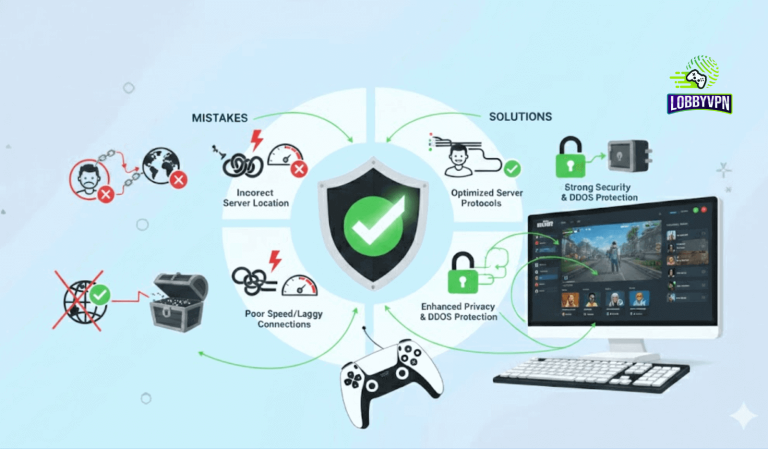
A gaming VPN isn’t just about “changing locations.” It solves several real, technical problems that affect COD performance:
1. More Stable & Lower Ping Routes
Certain regions have overloaded servers, especially during peak hours.
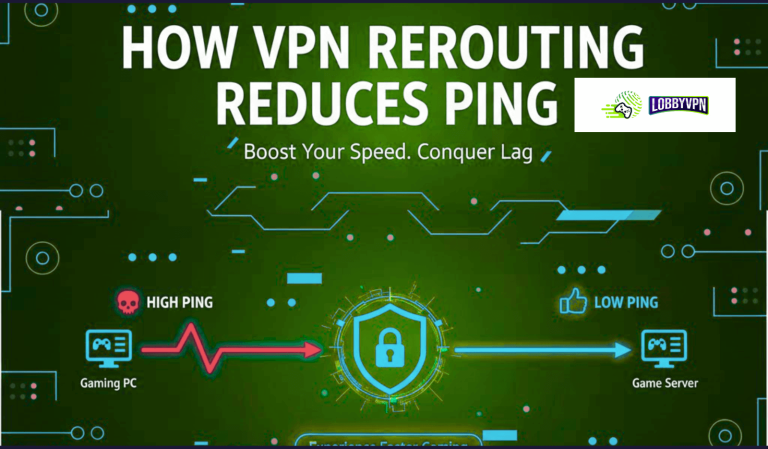
A good VPN can reroute your traffic through a less congested path, often resulting in:
- Lower ping
- Fewer lag spikes
- Consistent packet delivery
This isn’t magic — it’s simply better routing.
2. Avoiding ISP Throttling
Some ISPs slow down gaming traffic when bandwidth is high.
A VPN encrypts that traffic so your ISP can’t selectively throttle you.
3. Access to Better Matchmaking Regions
COD uses skill-based matchmaking (SBMM). While the full system isn’t public, players have observed that different regions:
- Have different player densities
- Are active at different skill levels
- Often feel “sweatier” or “softer”
A VPN lets players test different regions legally, ethically, and safely.
While there is no guaranteed “skill-based matchmaking bypass”, many players report that connecting to alternate regions sometimes results in more relaxed or mixed-skill lobbies.
This is not verifiable as an official mechanic — only a widely shared community experience.
4. Extra Security: Anti-DDoS & Privacy
This matters most for:
- Streamers
- Tournament players
- High-profile clans
- Anyone who faced targeted attacks in the past
A gaming VPN adds an extra layer of protection.
Can a VPN Help You Get Bot Lobbies in Warzone?
Here’s the honest, responsible answer:
There is no official or guaranteed method to get “bot lobbies.”
However, many players in the COD community use a VPN to explore different matchmaking regions, which sometimes feel:
- Lower skill
- Less congested
- More relaxed
This is purely community-reported, not confirmed by Activision.
Still, here are the keywords the community often searches for:
- how to get bot lobbies in Warzone
- best VPN location for bot lobbies
- low-skill matchmaking VPN
- free VPN for bot lobby gaming
A premium gaming VPN generally performs better than a free one because free services often cause higher ping, data caps, or unstable routing, making competitive gameplay unreliable.
Benefits of a Gaming VPN for Warzone, MW2, MW3 & COD Mobile
✔ Reduce Ping & Fix Lag
Players often see better ping by connecting to:
- Closer servers
- Less congested regions
- More optimized routing paths
✔ Smooth Matchmaking Experience
Switching to quieter regions may reduce:
- Queue times
- Sweaty peak-hour lobbies
- Packet loss in overloaded servers
✔ Access Region-Locked Events or Modes
Some limited-time modes roll out earlier in specific regions.
✔ Protect Yourself from DDoS & Swatting Attempts
Especially important for competitive players.
✔ Play on Vacation or While Traveling
A VPN keeps your account stable even when you’re abroad.
Best VPN Server Locations for COD Players
The best locations depend on your goal.
Here are community-tested options (not official):
For lower ping / stability
- United Kingdom
- Germany
- Netherlands
- US East
- Singapore
For softer lobbies (community speculation only)
Players frequently mention:
- Egypt
- India
- Singapore
- Brazil
- South Africa
Again, not guaranteed. Only anecdotal gaming experiences.
What to Look for in a Gaming VPN (Real Criteria That Matter)
1. Ultra-fast, gaming-optimized servers
Low-latency routing is non-negotiable.
2. No bandwidth throttling
Essential for long Warzone sessions.
3. Anti-DDoS protection
Especially for competitive/streamer players.
4. Unlimited switching & global locations
For testing regions safely and legally.
5. Works on all platforms
- PC
- PS5
- Xbox
- Mobile (iOS & Android)
6. Ability to bypass NAT issues
A gaming VPN can sometimes help get Moderate → Open NAT.
How COD Players Usually Set Up a Gaming VPN
For PC
Install → Choose closest or chosen region → Start game.
For Xbox & PlayStation
Use:
- Router setup
or - SmartDNS (if available)
For COD Mobile
Install → Select low-ping region → Launch the game.
Does a Free VPN Work?
Free VPNs almost always struggle with:
- High ping
- Packet loss
- Slow speed
- Shaky servers
- Limited bandwidth
- No gaming optimization
So while people search for free VPN for bot lobby gaming,
they rarely get a playable experience.
A paid gaming VPN is dramatically more stable.
Does a VPN Break COD Rules?
Using a VPN does not violate Activision’s Terms of Service, as long as you are not:
- Spoofing identity
- Modifying game files
- Exploiting the matchmaking system intentionally
Changing your routing location is allowed.
Final Thoughts: Should COD Players Use a Gaming VPN?
If you deal with:
- Lag spikes
- High ping
- Inconsistent servers
- Congestion during peak hours
- Unstable mobile data
- ISP throttling
- Regional matchmaking differences
A gaming VPN can meaningfully improve your COD experience.
It won’t magically secure bot lobbies or bypass SBMM officially, but it can help you find cleaner, more stable regions — something many gamers report as genuinely improving their gameplay.
Used correctly, a VPN becomes one of the most valuable tools in your COD setup.