Common Mistakes Gamers Make When Using a VPN
A few months ago, a competitive Warzone player switched to a VPN after watching a YouTube video claiming it could “turn SBMM off in Warzone.” He picked a random server, chose a free provider, and jumped into ranked matches expecting easier lobbies.
Instead, he got higher ping, packet loss, and worse performance than before. The issue was not the VPN itself. The issue was how he used it. Understanding the Common Mistakes Gamers Make When Using a VPN can mean the difference between smoother matchmaking and frustrating lag spikes.
VPNs can improve routing, help test different regions, and enhance privacy. However, misuse often leads to slower speeds, unstable connections, and misplaced expectations around matchmaking. Let’s break down where gamers go wrong and how to fix it.
Mistake #1: Choosing the Wrong Server Location
One of the most frequent problems involves selecting a server without understanding latency.
Gamers searching for the Best Server Locations for Call of Duty VPN Users often believe distant regions automatically mean easier lobbies. That assumption ignores physics. The farther the server, the higher the ping.
A smart approach balances:
- Moderate distance for potential matchmaking variation
- Low latency routing
- Stable ISP peering
For Warzone players, identifying the Best Warzone Server Locations requires testing regions with strong infrastructure, not random global endpoints.
Lower ping always beats theoretical lobby advantages.
Mistake #2: Expecting VPNs to Disable SBMM
The internet is filled with claims that a VPN can fully disable skill-based matchmaking. Let’s clarify something.
VPN and SBMM do not work the way many assume. A VPN may influence regional matchmaking pools, but it does not override the core ranking algorithm.
Gamers trying to “Turn SBMM off in Warzone” using only a VPN are misunderstanding how matchmaking systems operate. SBMM evaluates performance metrics tied to accounts, not just IP location.
A VPN can shift routing and sometimes diversify matchmaking pools. It cannot rewrite Activision’s matchmaking engine.
Mistake #3: Using Free VPNs for Competitive Play
Searching for Free VPNs for Warzone is common. Competitive gamers want results without additional cost.
Free VPNs introduce serious drawbacks:
- Bandwidth caps
- Overloaded servers
- Weak encryption
- Inconsistent routing
Some even log traffic or throttle gaming ports.
If you are serious about performance, avoid free services. Stability and low latency require optimized infrastructure, often with private DNS routing and better peering agreements.
Mistake #4: Ignoring DNS Configuration
Many gamers focus only on VPN servers and forget DNS settings.
Using optimized DNS can reduce lookup delays and improve routing consistency. Researching the best DNS servers for gaming alongside a VPN setup often produces better performance gains than switching locations alone.
Poor DNS configuration can cancel out VPN benefits.
Mistake #5: Not Testing Multiple Providers
Different games require different routing strengths.
Players searching for the Best Call of Duty VPNs or the Best VPN for Black Ops 7 should test:
- Latency consistency
- Packet loss rates
- Server load distribution
- Console compatibility
Performance in multiplayer shooters depends on microseconds. Not all providers optimize for gaming traffic.
Testing matters.
Mistake #6: Misconfiguring Console Setups
Console players often struggle with VPN setups.
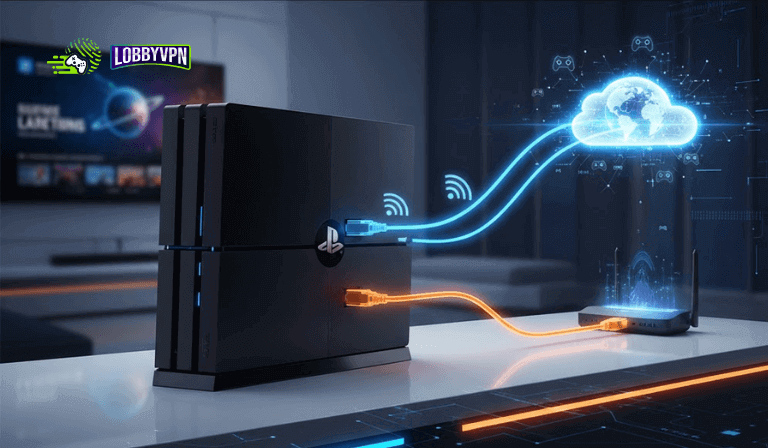
Using the Best Console VPN requires proper configuration through:
- Router-level VPN installation
- Ethernet connections instead of Wi-Fi
- NAT type optimization
A poorly configured console VPN can introduce strict NAT types, affecting matchmaking and voice chat.
Correct router-level implementation ensures smoother gameplay.
Mistake #7: Believing a VPN Automatically Improves Skill
A VPN is a routing tool, not a skill enhancer.
Many players assume a VPN for Warzone or VPN for Call of Duty guarantees easier wins. Performance still depends on:
- Aim
- Strategy
- Game sense
- Team coordination
Routing adjustments may slightly impact lobby dynamics, but mechanical skill remains dominant.
Expecting miracles leads to disappointment.
Mistake #8: Ignoring Network Fundamentals
Gamers often blame VPNs for problems caused by:
- Poor ISP routing
- Wi-Fi interference
- Outdated firmware
- Bandwidth congestion
Before optimizing VPN settings, ensure:
- Wired connection
- Updated router firmware
- No background downloads
- QoS properly configured
Network fundamentals always come first.
How to Use a VPN Properly for Gaming?
To avoid the Common Mistakes Gamers Make When Using a VPN, follow this structured approach:
- Test baseline ping without VPN
- Choose nearby but less congested server regions
- Avoid free VPNs for competitive play
- Optimize DNS settings
- Install VPN at router level for consoles
- Monitor packet loss and jitter, not just ping
- Understand that VPNs influence routing, not matchmaking rules
VPNs are performance tools when used strategically.
FAQs
Can a VPN reduce ping in Warzone?
Yes, if it improves routing between your ISP and the game server. It can also increase ping if misconfigured.
Does a VPN remove SBMM in Call of Duty?
No. It may influence regional matchmaking pools but does not disable SBMM algorithms.
What are the best server locations for Warzone?
Locations with strong infrastructure and moderate player pools often perform best. Testing is essential.
Are free VPNs safe for gaming?
Free services often limit bandwidth and introduce instability. Competitive players should avoid them.
Is a console VPN different from PC VPN?
Yes. Consoles typically require router-level setup for proper integration.
Final Thoughts
Understanding the Common Mistakes Gamers Make When Using a VPN saves time, frustration, and lost matches. A VPN can improve routing, offer privacy, and sometimes diversify matchmaking exposure. However, it cannot replace skill, fix poor network setups, or override game design.
Smart gamers treat VPNs as precision tools. They test configurations, monitor performance metrics, and adjust strategically. Used correctly, a VPN enhances your connection. Used blindly, it becomes another source of lag. Know the difference.