
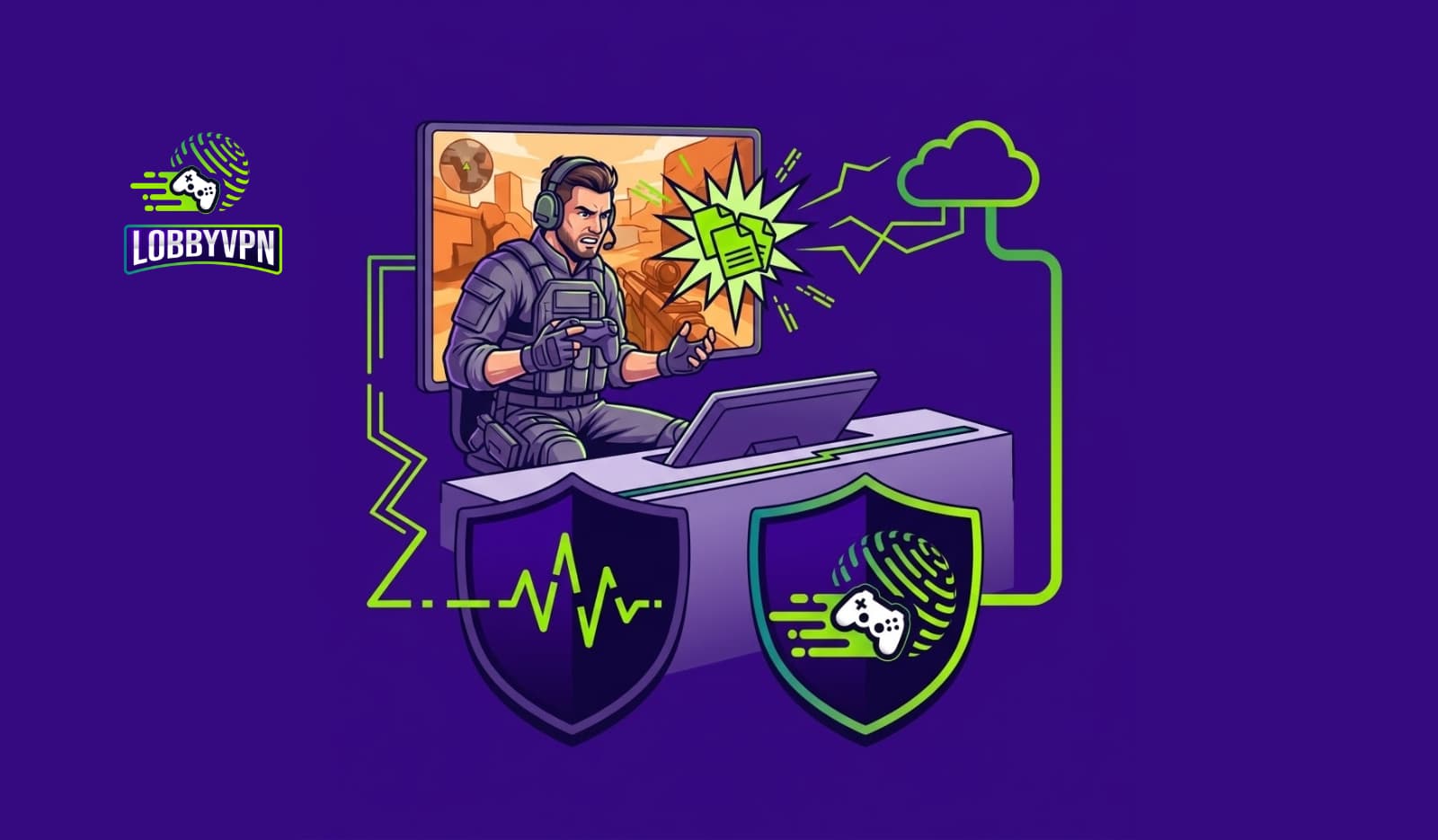
What is packet burst in Call of Duty, really? Judging by the panic it causes, you’d think Activision never explained it — and honestly, they barely have. The orange icon flashes in your corner, your enemies teleport three feet sideways, your perfectly aimed burst deals no damage, and the game offers you nothing but a cryptic symbol and a shrug. Then a lobby later, it’s gone. Or it isn’t, and your whole ranked night unravels.
At Lobby VPN, diagnosing exactly this kind of connection misbehavior is our day job, so let’s give packet burst the proper explanation it never gets. In this guide, you’ll learn what the warning actually measures, how it differs from packet loss and latency (they’re cousins, not triplets), how to tell in two minutes whether the problem is your network or Activision’s servers, and a fix ladder ordered from the ninety-second solutions to the structural ones. No superstition, no “just restart everything” hand-waving — real network reasoning, translated for players.
Your enemies should teleport because of their movement settings, not your connection. Let’s fix it.
What Is Packet Burst in Call of Duty?
Packet burst in Call of Duty is a connection warning (an orange icon of stacked squares) indicating that data packets between you and the game server are arriving in irregular clumps — delayed, then delivered in a burst — instead of the smooth, evenly spaced stream the game expects. Unlike packet loss (packets never arriving), packet burst is a timing problem: the data shows up, but bunched and late, causing rubber-banding, teleporting enemies, and delayed hit registration. Causes split between server-side issues (common after game updates — not fixable by you) and local ones: the On-Demand Texture Streaming setting, Wi-Fi jitter, network congestion, and poor routing. The fastest fixes: disable On-Demand Texture Streaming, go wired, and stop background downloads.
That’s the extractable answer. The understanding — which makes the fixes make sense — comes next.

Packet Burst, Explained Like a Network Engineer (But Readable)
Online Call of Duty is a constant conversation. Your console or PC sends the server small packets of data — your position, your inputs, your shots — many times per second, and the server sends the world’s state back at the same rhythm. The entire experience depends less on how fast these packets travel than on how evenly they arrive. Smooth spacing lets the game reconstruct a fluid reality; the netcode interpolates gracefully between updates.
Packet burst is what happens when that rhythm breaks. Somewhere along the path — your Wi-Fi, your router’s queue, your ISP’s congested node, or the game server itself — packets get held up briefly, then released together in a clump. Nothing was lost; everything arrived. However, the game received silence, then a flood, and it has to reconcile a burst of “here’s what happened over the last 150ms” all at once. The result on your screen is time visibly snapping back into place: enemies skipping, your own position correcting, shots evaluated against a world state you never actually saw.
Network engineers call the underlying phenomenon jitter — variation in packet arrival timing — and packet burst is Call of Duty’s player-facing label for a severe, clumped form of it. That framing matters, because it tells you what kind of problem you’re hunting: not a speed problem, not a bandwidth problem, but a consistency problem. Gigabit fiber with erratic delivery shows packet burst; a modest connection with clockwork delivery doesn’t.
Packet Burst vs Packet Loss vs High Ping
Call of Duty’s warning icons describe three different diseases, and treating the wrong one wastes your evening:
| Packet Burst | Packet Loss | High Ping / Latency | |
|---|---|---|---|
| What it means | Packets arrive in irregular clumps (timing problem) | Packets never arrive (delivery problem) | Every packet takes too long (distance/queue problem) |
| Network term | Jitter | Loss | Latency |
| In-game feel | Rubber-banding, stuttery enemies, world “snapping” | Shots not registering, actions eaten, freezes | Everything delayed uniformly; you feel “behind” |
| Icon | Orange stacked squares | Similar cluster icon (loss variant) | Ping counter / latency warning |
| Typical culprits | Wi-Fi jitter, bufferbloat, texture streaming, server issues | Failing hardware, bad lines, severe congestion | Distant servers, congested routes, VPN detours |
| Speed test helps? | Barely — tests rarely measure jitter well | Somewhat | Yes, for the ping figure |
The three overlap in practice — a congested route often produces all of them at once — yet the distinction drives diagnosis. Notably, raw bandwidth fixes none of the three beyond a modest threshold, which is why upgrading your plan rarely cures packet burst; our data-backed look at is 100 Mbps enough for Call of Duty explains where bandwidth stops mattering and stability takes over.
What Packet Burst Feels Like In-Game
Recognizing the signature helps you catch it early — often before the icon appears:
- Enemy teleporting and skipping. Opponents glide, freeze, then snap several feet ahead as clumped updates arrive together.
- Rubber-banding. Your own character pulls backward as the server’s delayed corrections land in a burst.
- “I shot first” killcams that disagree. Your hits were evaluated against server states you saw late; the killcam shows the server’s version.
- Melting and being melted inconsistently. Damage arrives in clumps, so fights feel like nothing-nothing-everything.
- Stutter that isn’t frame rate. Your FPS counter reads steady while the world stutters — the tell that separates network from graphics problems.
One symptom pattern deserves special mention: packet burst that appears for everyone in the lobby simultaneously, especially in the days after a major patch or season launch. That fingerprint points squarely at the server side — which brings us to the most valuable two minutes in this guide.
Step Zero: Is It You or Activision? (The 2-Minute Diagnosis)
Before touching a single setting, establish whose problem this is. Thousands of players have “fixed” server-side packet burst with router rituals that did nothing except coincide with Activision’s engineers fixing it for real.
Run this check, in order:
- Ask the lobby. If teammates and enemies report the same icon, the odds shift heavily toward server-side. Your household can’t cause their symptoms.
- Check the calendar. Within a week of a season launch, major update, or big event? Server-side packet burst spikes reliably in these windows — it’s practically a Call of Duty tradition.
- Check official status. Activision’s online services page and the game’s official channels flag degraded services; outage trackers add crowd confirmation.
- Test another game or service. Clean, stable connection in a different online title while COD bursts? The path to Activision’s servers, or the servers themselves, own the problem.
- Check your own baseline. Other household symptoms — slow browsing, buffering, video-call stutter — point the finger back home.
If the verdict is server-side: change nothing, play something else or accept the chaos, and let it pass. If the verdict is local — or mixed — the fix ladder below is your evening’s project, and it’s ordered so the cheap rungs come first.
The Fix Ladder: Solutions in the Right Order
Work top to bottom; stop when the icon stops.
Rung 1 — The 90-second fixes:
- Disable On-Demand Texture Streaming (Settings → Graphics). The single most famous packet burst fix, explained fully in the next section.
- Kill background downloads and streams. Game updates on other devices, cloud syncs, and 4K streams create exactly the congestion bursts the icon describes. Pause them during sessions.
- Restart the game client. Session-level networking occasionally degrades; a clean handshake costs nothing.
Rung 2 — The connection fixes:
- Go wired. Ethernet from console/PC to router removes Wi-Fi jitter — the most common household source of clumped delivery — in one cable.
- Reboot modem and router. Not superstition: long-running consumer routers accumulate degraded state, bloated tables, and memory pressure that manifest as bursty forwarding.
- Update router firmware and network drivers. Known buffering and scheduling bugs get patched; unpatched gear keeps them.
Rung 3 — The configuration fixes:
- Enable QoS / Smart Queue Management on your router. Prioritizing game traffic and taming bufferbloat (next section) directly targets jitter at its most common source.
- Change your DNS resolver. DNS doesn’t carry match traffic, but slow or flaky resolution degrades connection setup and services around the game; our ranked guide to the best DNS servers for gaming covers the two-minute switch.
- Check NAT type and port forwarding. Strict NAT forces relayed, less direct paths that add timing variance. Open/moderate NAT via UPnP audit or manual forwarding smooths the route.
Rung 4 — The structural fixes:
- Address bufferbloat properly (dedicated section below).
- Fix the route itself when the problem lives beyond your walls (routing section below).
- Escalate to your ISP with evidence: timestamps, traceroutes if you can capture them, and the observation that issues cluster at peak hours. Line faults and oversubscribed nodes are their territory.
The On-Demand Texture Streaming Fix (Why It Works)
Every packet burst thread eventually shouts “turn off texture streaming!” — and unusually for gaming folklore, this one is real. Here’s the mechanism.
On-Demand Texture Streaming downloads higher-resolution textures from Activision’s content servers while you play, instead of storing them all locally. Visually, it’s a clever bandwidth-for-disk trade. Network-wise, it means bulk content downloads share your connection — and your router’s queues — with the time-critical match traffic, in the middle of your gunfights. The download surges; match packets wait behind them in the queue; then everything releases together. That’s not similar to packet burst — that is packet burst, manufactured in your own settings menu.
Disabling it (Graphics settings → On-Demand Texture Streaming → Off, or minimal allocation where a full toggle isn’t offered) removes the in-match competitor entirely. The cost is marginally softer distant textures; the benefit is the single highest fix-rate setting change for this icon. Competitive players should consider it permanently off on principle: match traffic deserves an uncontested lane.
Wi-Fi, Bufferbloat, and the Household Suspects
When packet burst is genuinely local, two culprits dominate.
Wi-Fi jitter. Wireless delivery is retry-based by nature: interference from neighbors’ networks, walls, microwaves, and device crowds forces retransmissions, and retransmissions are precisely delayed-then-clumped delivery. A connection that speed-tests beautifully can still jitter terribly, because speed tests measure throughput, not timing. Ethernet is the definitive answer; where cabling is impossible, channel selection, band choice, and access-point placement recover a lot — our full walkthrough on how to reduce lag spikes over Wi-Fi is effectively a packet burst treatment plan for wireless households.
Bufferbloat. The quieter villain: routers with oversized buffers absorb traffic surges (a download, a backup, a smart TV) by queuing packets instead of pacing them — and your match packets sit in that queue behind the bulk data, then flush out in a clump. The tell is classic: connection is fine until someone else in the house does anything, then the icon appears. Modern router QoS (Smart Queue Management, SQM, or “gaming mode” done properly) paces queues and largely cures it. Free bufferbloat tests online grade your line in a minute; a C or worse under load explains a lot of orange icons.
The unifying theme: household packet burst is almost never about speed and almost always about queuing and timing — which is why the family’s 500 Mbps plan and your orange icon coexist so comfortably.
When Packet Burst Won’t Die: Routing Problems
Suppose you’ve done everything — wired, streaming off, QoS on, router healthy — and the icon still visits, reliably, every evening between 7 and 11 PM. At that point, the problem has left your house. Peak-hour congestion at your ISP’s aggregation points, or on the peering paths between your ISP and Activision’s server regions, produces exactly this signature: clean mornings, bursty evenings, nothing local to fix.
Two escalations exist. The first is the ISP conversation, armed with your evidence and timestamps — occasionally productive, often glacial. The second is changing the route yourself: tunneling your game traffic through an alternative path that bypasses the congested segment. This is the specific engineering problem Lobby VPN exists to solve — gaming-first routing through stable paths near game infrastructure, using lightweight protocols so the detour costs less than the congestion it avoids. Protocol choice genuinely decides whether that math works, which is why our comparison of the best VPN protocols for gaming matters more for jitter than almost any other use case: heavyweight tunnels add their own timing noise, while modern lightweight ones ride clean.
Honesty requires the caveat: rerouting helps when the congestion is on the route, not when it’s inside Activision’s servers or your own walls. That’s exactly why the diagnosis section came first — the fix only fits its cause.
Packet Burst vs Being Attacked: Know the Difference
Occasionally a player with persistent connection chaos asks the darker question: am I being booted? The distinction is usually clean. Packet burst degrades your game while the rest of your household hums along, follows patterns (peak hours, post-patch weeks, texture streaming on), and produces stutter rather than severance. A DDoS attack, by contrast, is sudden, severe, and total — every device in the home loses connectivity at once, typically moments after an in-game conflict, and recovers once you’ve left the session.
If your symptoms match the second description, you’re dealing with a different problem entirely, with a different response sequence — our complete guide on how to avoid DDoS attacks while gaming covers detection, the mid-attack playbook, and prevention. For everyone else: it’s almost certainly jitter, not enemies. Network problems are rarely personal.
Expert Insights: Patterns from Thousands of Connections
Supporting Call of Duty players’ connections at Lobby VPN surfaces patterns no single household would ever spot.
Packet burst complaints move in synchronized waves. When our support volume spikes with identical symptoms across different ISPs, cities, and continents within the same hours, no local fix is in play — that’s the server side or a major route wobbling. The practical lesson for individuals: before your third router reboot, check whether the internet is complaining in chorus. Reddit threads timestamped within an hour of your symptoms are diagnostic data.
The texture streaming fix has a shadow twin. Players disable On-Demand Texture Streaming, see improvement, then reintroduce the same mechanism via a console downloading a patch in rest mode, a cloud photo backup, or a smart TV preloading. The principle they applied — bulk transfers must not share the lane with match traffic — is bigger than one setting. Audit the whole household’s background transfer habits, not just the game’s.
Evening-only burst is a routing fingerprint. The most common escalation we see: everything local is immaculate, yet the icon keeps evening office hours. A real case from our community — a fiber-connected player in a major EU city, wired, QoS’d, streaming off — mapped his packet burst precisely to 8–11 PM for three weeks. His ISP found nothing. Routing his game traffic around the congested peering segment flattened his jitter the first evening, and the icon hasn’t returned. The connection was never broken; the path was crowded.
Players systematically over-treat and under-diagnose. The fix ladder exists because the median player applies rungs in random order, changes three things at once, and can’t say what worked. Network troubleshooting rewards the same discipline as tuning your loadout or your sticks: one change, one test, one conclusion.
Statistics & Data
Grounding the icon in numbers:
- Jitter thresholds: Networking guidance for real-time applications (gaming, VoIP) commonly treats jitter under ~30ms as good and sustained jitter beyond that as visibly disruptive — and clumped delivery in the 100ms+ range produces exactly the teleporting and rubber-banding players report. Consistency targets, notably, are far stricter than any bandwidth requirement.
- Bandwidth is rarely the constraint: Activision’s own connectivity guidance and standard game-networking references put actual match traffic in the low single-digit Mbps — meaning virtually every modern plan has hundreds of times the necessary throughput, and stability, not speed, separates good sessions from bad ones.
- Bufferbloat is widespread: Testing initiatives around bufferbloat (popularized by Waveform’s test and the SQM/CoDel work in the networking community) consistently find large shares of consumer connections degrading badly under load — the household mechanism behind a huge fraction of “mystery” packet burst.
- Update-window clustering: Community outage trackers and Activision’s own status acknowledgments show connection-warning reports clustering sharply around season launches and major patches — empirical support for running the 2-minute diagnosis before touching your router.
- Wi-Fi vs wired variance: Latency-consistency comparisons across the networking literature repeatedly show wireless links carrying multiples of the timing variance of Ethernet under identical conditions — the statistical case for the single most effective rung on the fix ladder. The same consistency logic applies at the peripheral level too, as our breakdown of wired vs wireless controllers for competitive gaming shows: stable timing beats raw speed at every layer of the chain.
Direct sources: Activision network support documentation, Waveform bufferbloat testing resources, standard IETF/networking references on jitter and queue management (CoDel/SQM), and community outage-tracking data.
Common Mistakes
- Running a speed test and declaring innocence. Speed tests measure throughput; packet burst is timing. A gigabit line can jitter like a dirt road.
- Skipping the you-or-them diagnosis. Post-patch weeks turn thousands of players into amateur network technicians treating a problem that lives in Activision’s datacenter.
- Changing five things at once. When the icon fades, you’ve learned nothing — and when it returns, you’re starting from zero. One rung, one test.
- Leaving On-Demand Texture Streaming on “because graphics.” The visual difference is marginal at distance; the network cost lands mid-gunfight. Competitive settings keep it off.
- Blaming the VPN category for a routing problem. Heavyweight, distant, or overloaded VPN servers can absolutely add jitter — and gaming-first routing through nearby infrastructure can subtract it. The category isn’t the variable; the implementation is.
- Ignoring the household. Your setup can be perfect while a console in rest mode downloads 80GB through the same queue. Packet burst is a whole-network diagnosis.
- Confusing frame stutter with network stutter. Steady FPS counter + stuttering world = network. Dropping FPS counter = graphics settings, drivers, or thermals — a different guide entirely.
Best Practices: The Packet-Burst-Proof Setup
The preventive configuration, assembled from everything above:
- On-Demand Texture Streaming: off, permanently, on competitive installs.
- Ethernet to the console/PC. The one cable that removes the biggest jitter source.
- QoS/Smart Queue Management: on, with your gaming device prioritized — bufferbloat handled before it manifests.
- Background transfer hygiene: updates and backups scheduled outside play hours, rest-mode downloads audited.
- Router maintenance rhythm: firmware current, a periodic reboot, and replacement when hardware ages past reliable queue management.
- A known baseline: test ping, jitter, and loss during your normal play window once a quarter, so anomalies announce themselves instantly.
- A diagnosis habit: lobby check → calendar check → status check before touching settings. Two minutes, every time.
- A routing remedy on standby for the evening-congestion fingerprint no local fix reaches — stable, gaming-first paths are exactly the layer a purpose-built gaming VPN for COD players exists to provide.
Frequently Asked Questions
What is packet burst in Call of Duty?
Packet burst is Call of Duty’s warning that data packets are arriving in irregular clumps — delayed, then delivered together — instead of a smooth, evenly timed stream. It’s a timing (jitter) problem rather than lost data, causing rubber-banding, teleporting enemies, and delayed hit registration.
What causes packet burst in Call of Duty?
Causes split two ways: server-side issues (common after updates and season launches, unfixable by players) and local ones — the On-Demand Texture Streaming setting, Wi-Fi jitter, background downloads, router bufferbloat, and congested evening routing between your ISP and game servers.
How do I fix packet burst in Warzone and Black Ops 6?
Disable On-Demand Texture Streaming, pause background downloads, and connect via Ethernet — the three highest-yield fixes. If the icon persists, reboot and update your router, enable QoS to tame bufferbloat, and check whether the problem is server-side before deeper troubleshooting.
Is packet burst my internet or the game’s servers?
Run the two-minute check: if the whole lobby sees it, it’s likely server-side — especially within a week of a major update. If other games run clean while COD bursts, suspect the route or servers; if your whole household struggles, the problem is local.
What’s the difference between packet burst and packet loss?
Packet loss means packets never arrive — actions get eaten and shots don’t register. Packet burst means packets arrive late and clumped together — the world stutters and snaps. Loss is a delivery failure; burst is a timing failure, and their fixes differ accordingly.
Does turning off On-Demand Texture Streaming really fix packet burst?
Frequently, yes. The setting downloads bulk textures during matches, forcing time-critical game packets to queue behind content downloads — manufacturing the exact clumped delivery the icon describes. Disabling it is the single highest fix-rate settings change.
Can Wi-Fi cause packet burst?
Absolutely — it’s the most common household cause. Wireless retransmissions from interference deliver packets in delayed clumps even when speed tests look excellent. Ethernet eliminates the mechanism; otherwise, channel, band, and placement optimization recover much of the stability.
Does packet burst mean I’m being DDoSed?
Almost never. Packet burst degrades your game while the household stays online, and follows patterns like peak hours or post-patch weeks. An attack is sudden, severe, and takes the entire home offline — usually right after an in-game conflict. Different problem, different playbook.
Will faster internet fix packet burst?
Rarely. Match traffic uses only a few Mbps, so bandwidth is almost never the constraint — timing consistency is. A modest, stable connection outperforms a gigabit line with jitter, which is why plan upgrades so seldom cure the icon.
What is bufferbloat and how does it relate to packet burst?
Bufferbloat is a router flaw where oversized buffers queue packets during traffic surges instead of pacing them, releasing your match data in delayed clumps. It’s the classic reason packet burst appears the moment someone else in the house streams or downloads. QoS/Smart Queue Management is the cure.
Can a VPN fix packet burst?
When the burst comes from congested routing between your ISP and game servers — the evening-only fingerprint — yes: a gaming-first VPN can carry traffic around the crowded segment on a stabler path. It can’t fix server-side issues or in-home Wi-Fi problems, so diagnose first.
Why does packet burst appear after every big Call of Duty update?
Season launches and major patches strain server infrastructure and content-delivery systems while millions download and play simultaneously. Connection-warning reports reliably cluster in these windows, which is why the calendar check belongs in your diagnosis before any local fix.
Does packet burst affect aim assist or hit registration?
Indirectly but noticeably. Clumped updates mean the server evaluates your shots against positions you saw late, producing “I hit first” killcam disputes and inconsistent damage. Aim assist itself tracks what your client displays — which is precisely what burst distorts.
Is packet burst worse on Wi-Fi or wired connections?
Substantially worse on Wi-Fi. Wireless links carry multiples of Ethernet’s timing variance under identical conditions, and timing variance is the entire disease. Wiring your console or PC is the single most effective structural fix on the ladder.
Should I just wait packet burst out?
Only after diagnosis says server-side. Post-update waves pass on Activision’s schedule regardless of your router rituals. Local and routing causes, by contrast, never fix themselves — the fix ladder exists for exactly those.

Conclusion
So, what is packet burst in Call of Duty? Not lag, not loss, and not a curse — it’s timing. Packets that should arrive like a metronome arrive like a traffic jam clearing, and every teleporting enemy and disputed killcam follows from that one broken rhythm. Once you see it that way, the whole treatment plan clicks into place: diagnose whose problem it is first, remove the self-inflicted competition (texture streaming, background transfers), stabilize the delivery path (wire, QoS, healthy router), and — when the congestion lives out on the route where no household fix reaches — change the route itself.
That last rung is our rung. Lobby VPN carries Call of Duty traffic over stable, gaming-first paths built to hold the metronome steady through the exact peak-hour congestion that turns evenings orange. Diagnosis first, always — and when the fingerprint says routing, the fix is one connection away.
Your aim deserves a rhythm section, not a traffic jam. Try Lobby VPN today at lobbyvpn.com — and retire the orange icon for good.