VPN for COD: Best Lobby VPN & Setup Guide
Call of Duty is more competitive than ever. Whether you play ranked multiplayer, Warzone, or limited-time modes, matchmaking can feel intense due to skill-based matchmaking, regional server pools, and fluctuating latency.
That’s why searches for VPN for COD keep growing.
Players want smoother routing, better matchmaking consistency, protection from DDoS attacks, and in some cases, access to easier lobbies. But using a VPN incorrectly can actually increase ping and hurt performance.
This guide breaks down:
- What a VPN for COD actually does
- Why players use it
- Whether it helps with SBMM
- The best VPNs for COD, with Lobby VPN ranked first
- Expert configuration tips for PC and console
Everything here is written from a practical, performance-first perspective — not hype.
What Is a VPN for COD?
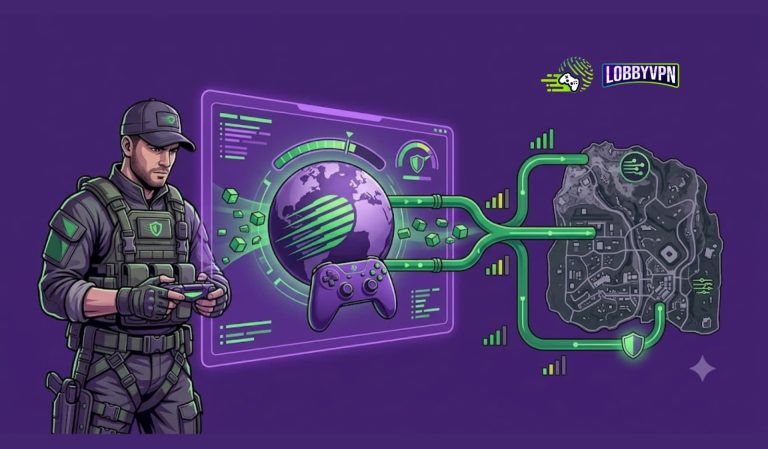
A VPN (Virtual Private Network) routes your internet traffic through a remote server before it reaches Call of Duty’s game servers.
Instead of connecting directly from your ISP to Activision’s matchmaking system, your traffic is encrypted and rerouted through another location.
For COD players, this can influence:
- Matchmaking region
- IP visibility
- Routing efficiency
- Packet stability
- Exposure to DDoS attacks
There are two main types of VPN usage in COD:
1. Standard VPN
A general-purpose VPN that changes your IP location and encrypts traffic.
2. Lobby VPN
A more targeted solution designed to influence matchmaking pools, often by routing through lower-population regions or optimized nodes.
The difference matters. Not all VPNs are optimized for gaming performance.
Why Do Players Use a VPN for COD?
Let’s separate myth from reality.
1. Easier Lobbies (SBMM Strategy)
Call of Duty titles such as Warzone and Multiplayer use skill-based matchmaking (SBMM). While Activision does not disclose its full matchmaking algorithm, it is widely accepted that performance metrics influence lobby difficulty.
Some players use VPNs to:
- Connect to regions with lower player density
- Avoid peak-time high-skill clusters
- Reset regional matchmaking pools
Does it completely remove SBMM? No.
Can it influence matchmaking pools? In some cases, yes.
But it’s not magic. Balance is key.
2. Better Routing and Lower Ping
Many ISPs use suboptimal routing paths. That can result in:
- Higher latency
- Packet loss
- Jitter spikes
A high-quality VPN can sometimes improve routing by:
- Using better backbone infrastructure
- Avoiding congested ISP nodes
- Offering optimized gaming servers
However, a poor VPN will increase ping. That’s why choosing the right one matters.
3. Access to Different Regions
Some players want to:
- Play with friends in other countries
- Access region-locked servers
- Enter early events based on timezone
A VPN makes that possible.
4. DDoS Protection
If you stream or play competitively, exposing your real IP can be risky.
A VPN:
- Masks your real IP
- Prevents direct attacks
- Adds a layer of encrypted protection
For competitive or public-facing players, this alone justifies VPN usage.
Best VPN for COD (Ranked for 2026)
Below are five strong options, ranked based on:
- Latency consistency
- Matchmaking optimization
- Server network quality
- Gaming-specific performance
- Protocol support
1. Lobby VPN (Top Recommendation)
Best Overall VPN for COD
Lobby VPN is specifically optimized for competitive matchmaking scenarios. Unlike general-purpose VPNs, it focuses on smart region selection and gaming-optimized routing.
Why Lobby VPN Ranks #1
- Smart matchmaking region targeting
- Low-latency gaming nodes
- Optimized server density for COD-heavy regions
- WireGuard-based fast protocol
- Router compatibility for console setups
Lobby VPN is particularly strong for:
- Warzone matchmaking control
- Ranked multiplayer stability
- Balanced ping-to-lobby difficulty ratio
It avoids extreme routing distances, which helps maintain playable latency while adjusting matchmaking pools.
Best for players who want a practical competitive edge without sacrificing responsiveness.
2. NordVPN
NordVPN is a premium, security-first VPN with strong gaming performance.
Strengths:
- NordLynx protocol (based on WireGuard)
- Massive global server network
- Reliable speeds
- Strong DDoS protection
It’s not a dedicated “lobby VPN,” but its large server coverage makes it useful for testing different regions.
Best for players who want strong privacy plus gaming flexibility.
3. ExpressVPN
ExpressVPN is known for consistent speed and stability.
Strengths:
- Lightway protocol
- Excellent routing stability
- Strong router firmware support
- Minimal speed drops
It’s one of the most reliable choices for console gamers running VPN at router level.
Best for stability-focused players.
4. Surfshark
Surfshark offers strong value with unlimited device connections.
Strengths:
- WireGuard protocol
- Competitive pricing
- Large server footprint
- Easy region switching
While not gaming-specialized, it performs well if configured correctly.
Best for budget-conscious players.
5. CyberGhost
CyberGhost includes gaming-labeled servers in some regions.
Strengths:
- Dedicated gaming server categories
- Large network coverage
- User-friendly interface
Performance varies by region, but it’s accessible for beginners.
Best for casual players experimenting with VPN for COD.
Expert Tips to Get the Best Results with VPN for COD
Using a VPN incorrectly will ruin your experience. Follow these expert tips.
1. Avoid Extreme Locations
Don’t connect from Europe to South America if you’re in Asia.
High ping cancels any matchmaking benefit.
Choose nearby lower-density regions.
2. Test Ping Before Entering Ranked
Most VPN apps show latency per server.
Test:
- 2–3 nearby regions
- Compare in-game ping
- Lock the best balance
3. Restart COD After Switching Servers
Call of Duty caches session data.
After changing VPN region:
- Close the game
- Restart console/PC if necessary
- Reconnect cleanly
4. Use WireGuard-Based Protocols
WireGuard (or its variants like NordLynx) offers:
- Lower overhead
- Faster handshake
- Reduced latency
Avoid older protocols like PPTP or L2TP for gaming.
5. Configure VPN at Router Level for Console
Consoles don’t support native VPN apps.
Options:
- Install VPN on router
- Use a gaming router with firmware support
- Use PC hotspot sharing
Router-level VPN ensures consistent coverage.
6. Play During Off-Peak Hours
Even with a VPN, peak-time matchmaking pools are more competitive.
Test:
- Late night
- Early morning
- Weekday hours
Combine timing strategy with VPN region selection.
Does VPN Reduce SBMM in COD?
Short answer: It doesn’t remove SBMM.
Long answer: It can influence matchmaking pools depending on:
- Region population
- Time of day
- Server density
- Player distribution
A VPN may:
- Increase lobby variability
- Reduce ultra-sweaty peak clusters
- Provide different matchmaking cycles
But performance still matters. If you dominate consistently, SBMM adjusts.
PC vs Console: Where Is VPN More Effective?
On PC:
- Easier setup
- Faster protocol switching
- Better ping testing tools
On Console:
- Requires router setup
- More stable once configured
- Strong DDoS protection benefits
Effectiveness depends more on configuration than platform.
Risks of Using VPN for COD
Be realistic.
- Increased latency if poorly configured
- Account flags if abusing extreme geo-exploits
- Reduced speeds on low-quality VPNs
Use reputable providers. Avoid free VPNs for competitive gaming.
FAQ
Is using a VPN for COD legal?
Using a VPN itself is legal in most countries. However, always review COD’s Terms of Service to ensure compliance with platform policies.
Can I get banned for using a VPN in COD?
There is no widespread evidence of bans solely for VPN usage, but manipulating systems aggressively may carry risk. Use responsibly.
Will a VPN reduce ping?
It can, if your ISP routing is inefficient. It can also increase ping if you choose distant servers.
What is a lobby VPN?
A lobby VPN is optimized to influence matchmaking pools while maintaining playable latency.
Is VPN better for Warzone or Multiplayer?
Both can benefit. Warzone players often use VPNs for lobby distribution. Multiplayer users often prioritize ping stability.
Final Words
A VPN for COD is not a cheat code. It’s a routing and region management tool.
Used correctly, it can:
- Improve routing stability
- Add DDoS protection
- Influence matchmaking pools
- Offer regional flexibility
Used incorrectly, it will increase lag and frustration.
For competitive players seeking matchmaking optimization with balanced latency, Lobby VPN stands out as the most targeted solution in 2026. For broader security and network consistency, providers like NordVPN or ExpressVPN remain strong alternatives.
The key is balance.
Test regions. Monitor ping. Avoid extremes. Optimize intelligently.
If you approach it strategically, a VPN can become a practical performance tool rather than just another subscription.