
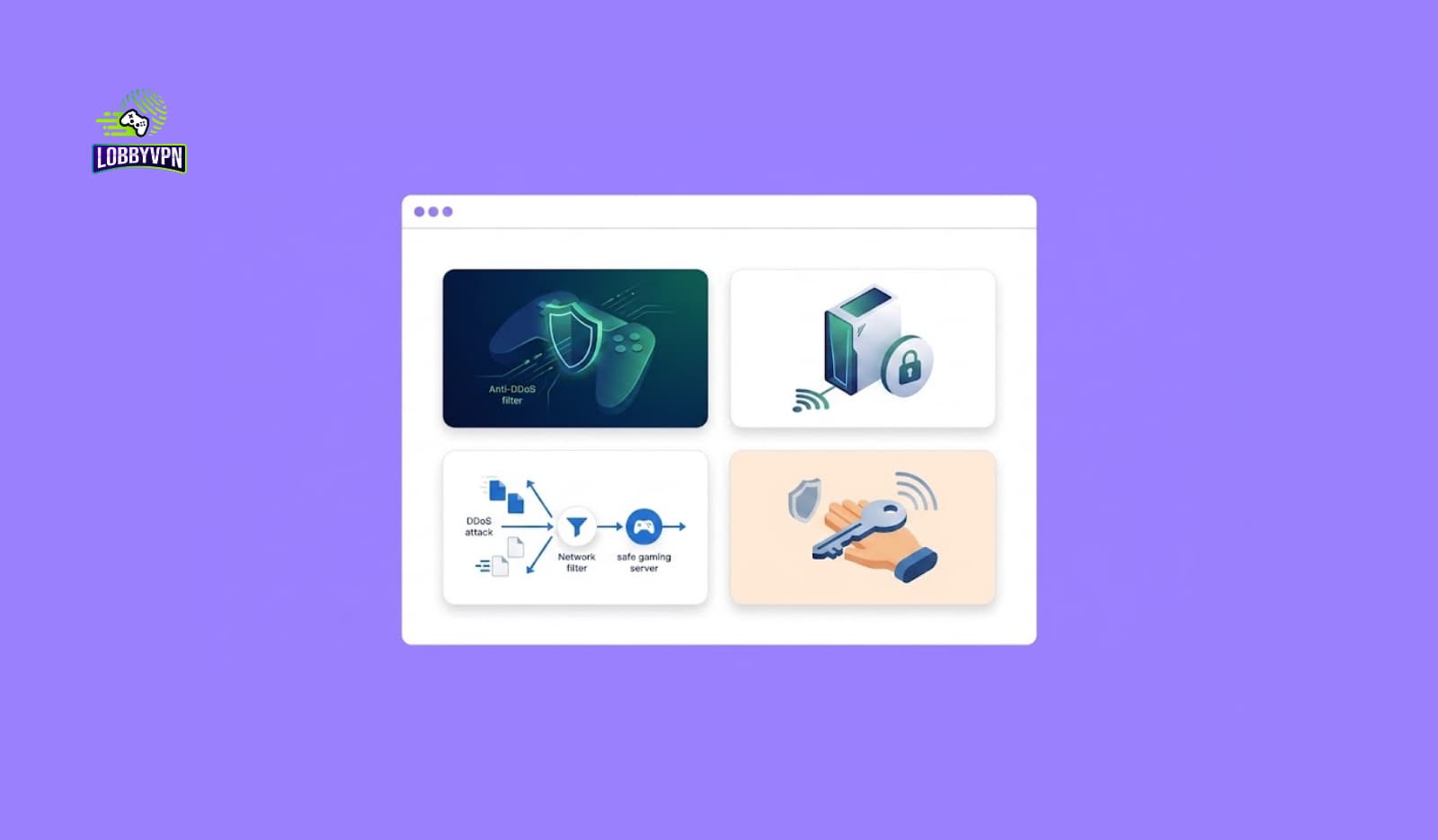
Learning how to avoid DDoS attacks while gaming used to be a niche concern for pro players and streamers. Not anymore. Booting attacks have trickled down from esports sabotage to ranked-lobby revenge, and today a salty opponent with forty dollars and bad intentions can knock a stranger offline mid-match. If you play Call of Duty, Warzone, Fortnite, or any competitive title seriously — or you stream at all — your connection is a target the moment your IP address leaks.
Here’s the good news: nearly every gaming DDoS attack depends on one fragile prerequisite. The attacker needs your IP address, and denying them that single piece of information defeats the entire playbook. At Lobby VPN, protecting and stabilizing gamers’ connections is literally our job, so this guide covers the whole defense: how attacks actually work, how your IP leaks in the first place, platform-specific protection for PlayStation, Xbox, and PC, what streamers do differently, and exactly what to do if an attack is already underway.
Let’s make you a hard target.
How to Avoid DDoS Attacks While Gaming?
To avoid DDoS attacks while gaming, deny attackers your IP address. Route your traffic through a gaming VPN so opponents see the VPN’s shielded servers instead of your home connection, avoid clicking unknown links from lobby chat or Discord DMs, restrict who can contact and party with you on Xbox Live and PlayStation Network, keep router firmware updated with UPnP reviewed and remote administration off, and — if attacked — reset your IP via your router/ISP and enable a VPN before returning online. No home connection can absorb an attack; prevention through IP concealment is the defense.
That’s the doctrine. The rest of this guide turns it into a system you can set up this afternoon.

What Is a DDoS Attack in Gaming?
A DDoS (Distributed Denial of Service) attack floods a target’s internet connection with junk traffic from many sources at once — typically a rented botnet of compromised devices — until legitimate traffic, like your game data, can’t get through. In gaming, the target is usually a player’s home connection, and the goal is simple: force a lag spike, disconnect, or rage quit.
Players experience an attack as sudden, severe symptoms with no household explanation: ping exploding into the hundreds or thousands, total disconnection from Xbox Live or PlayStation Network, every device in the home losing internet simultaneously, and — tellingly — everything recovering shortly after you leave the match or the attacker gets bored.
Gaming slang calls this “booting” or “hitting someone offline.” The services that sell it (marketed as “stressers” or “booters”) pretend to be legitimate network-testing tools. They aren’t, legally or practically — more on that shortly.
One important distinction before we go further: a DDoS attack targets your connection, not your account. Your password isn’t stolen and your data isn’t breached. However, the same carelessness that leaks an IP often accompanies weaker account hygiene, so this guide treats gaming network security as one habit, not two.
How Gamers Actually Get DDoSed?
Every gaming DDoS starts with the same prerequisite: the attacker obtains your public IP address. Understanding the common leak vectors — at a pattern level — is most of the defense:
- Peer-to-peer connections. Some games, older titles especially, and certain voice/party systems have historically connected players directly to each other rather than through a server. Direct connections expose participants’ IPs to technically savvy peers monitoring their own traffic.
- Malicious links. The classic vector: an opponent or “new friend” sends a link — a clip, a stats page, a giveaway — that quietly logs the IP of whoever clicks. Lobby chat, Discord DMs, and stream chats are the usual delivery channels.
- Third-party tools and modded lobbies. Sketchy overlays, “lobby finder” tools, cracked clients, and cheat software frequently harvest network information from their own users. The tool you downloaded to gain an edge may be the leak.
- Old exposure that never expired. If your IP leaked once — years ago, in a forum post, a Discord screenshot showing an IP, or an old P2P session — and your ISP hasn’t rotated it, that address may still find you.
- Targeted social engineering. For streamers and known competitors, attackers correlate public information: tournament schedules, stream metadata, past leaks, and social posts.
Notice what’s absent from that list: sophisticated hacking. Gaming DDoS attacks are crimes of opportunity built on exposure, which is exactly why exposure control — not exotic security software — is the counter.
Is DDoSing Illegal? (Yes — Very)
Unambiguously. Launching a DDoS attack — or paying a booter service to launch one for you — is a serious crime in every jurisdiction this guide targets. In the United States it violates the Computer Fraud and Abuse Act, with penalties reaching years of imprisonment; the UK’s Computer Misuse Act, the EU’s cybercrime directives, and equivalent laws across Canada, India, Australia, and Japan treat it comparably. Law enforcement agencies, including the FBI and Europol, have repeatedly seized booter services and prosecuted both operators and paying customers in coordinated international operations.
Two practical takeaways follow. First, never retaliate in kind — “booting back” makes you a criminal, not a victim. Second, attacks against you are worth reporting: platform holders, your ISP, and (for persistent harassment) law enforcement all maintain channels for it. Documentation of timestamps and match context genuinely helps.
Layer 1: Hide Your IP Address
IP concealment is the load-bearing wall of anti-DDoS gaming defense, and a VPN is the practical tool for it.
How it works: A VPN routes your traffic through an intermediary server before it reaches the game, so every peer, lobby tool, and link logger sees the VPN server’s address instead of your home connection’s. Attackers who flood that address hit infrastructure built to absorb abuse — commercial VPN endpoints sit in datacenters with enterprise-grade mitigation of the kind Cloudflare and AWS Shield pioneered — while your actual home IP stays invisible and untouched.
The gaming catch, handled honestly: General-purpose VPNs (the Proton VPNs and NordVPNs of the world) are built primarily for privacy and streaming, and their routing sometimes adds more latency than competitive players will tolerate. A gaming-first service approaches the problem from the opposite direction — server placement near game datacenters, lightweight protocols, and routing optimized for stability. That’s the design brief Lobby VPN was built around: DDoS-shielded IP concealment without donating your ping to get it. Protocol choice matters enormously here too; modern options like WireGuard carry far less overhead than legacy OpenVPN configurations, and our breakdown of the best VPN protocols for gaming explains which to pick and why.
Two supporting notes:
- Router-level VPN coverage protects consoles that can’t run VPN apps natively — one configuration shields the PS5, Xbox, and everything else behind your router.
- A VPN also cures the “old leak” problem. If your IP escaped years ago, the VPN makes that stale address useless the moment you connect through a new one.
Layer 2: Harden Your Home Network
Your router is the border checkpoint of your gaming setup. A few settings close the doors attackers probe:
- Update the firmware. Router vulnerabilities get patched constantly; unpatched routers get conscripted into the very botnets that power booter services. Enable auto-updates if offered.
- Change default admin credentials. “admin/admin” on the router login is an open invitation. Use a real password.
- Disable remote administration. Unless you specifically need to manage your router from outside your home, turn WAN-side administration off entirely.
- Review UPnP and port forwarding. UPnP convenience lets devices open ports automatically — including compromised ones. Audit what’s open; forward only what you knowingly need.
- Keep the firewall on. Consumer router firewalls (SPI/NAT filtering) are on by default; verify nobody “optimized” them off chasing NAT-type improvements.
- Know your IP-reset procedure in advance. Most ISPs assign dynamic IPs that rotate after your modem/router stays off for a period (often 10–30 minutes); some require a support call. Learn which applies to you before you need it mid-attack.
- Prefer wired infrastructure. Ethernet to the console removes wireless variables from both performance and troubleshooting — and if Wi-Fi is unavoidable, our guide on how to reduce lag spikes over Wi-Fi hardens that link, which also makes real attacks easier to distinguish from ordinary congestion.
Layer 3: Platform-Specific Protection (PS5, Xbox, PC)
PlayStation (PS5 / PSN)
Modern PlayStation Network multiplayer and party chat route through Sony’s servers for mainstream titles, which shields IPs far better than the P2P systems of older generations. Nevertheless, PlayStation players still get booted — via clicked links, third-party tools, and older or indie titles using direct connections. Practical steps: set messages and party invites to Friends-only in PSN privacy settings, decline party invites from hostile lobbies, and run VPN protection at the router level since the console lacks native VPN support. Console players who’ve already dialed in their setup — the crowd optimizing everything from network to the best controller settings for Call of Duty on PS5 — should treat IP hygiene as part of the same competitive checklist.
Xbox (Xbox Live)
The same story with Microsoft branding: Xbox Live’s modern infrastructure relays most traffic, yet historical P2P party chat made “can someone DDoS you through Xbox?” a famous question for good reason — and legacy titles plus link-clicking keep the answer “yes, if your IP leaks.” Mirror the PlayStation guidance: privacy settings locked to friends, no unknown invites accepted mid-dispute, router-level VPN coverage, and skepticism toward any “free stuff” link in messages.
PC (Steam, Battle.net, and Friends)
PC gaming offers the most protection options and the most leak vectors simultaneously. Native VPN apps run directly on the machine — the simplest per-device shield — while Discord deserves specific attention: keep the client updated, disable calls/DMs from non-friends, and treat voice calls with strangers cautiously, since call traffic has historically exposed more than users assumed. Additionally, PC players face the third-party-tool trap hardest: overlays, “server browsers,” and cheat clients are the single most self-inflicted leak vector in gaming. If a tool’s origin is murky, its network behavior is too.
Layer 4: Behavior — The Leaks You Control
Technology closes most doors; habits close the rest.
- Don’t click links from lobby chat, match DMs, or fresh Discord contacts. Especially after a heated game. The correlation between “trash talk received” and “link arrives” is not a coincidence.
- Keep disputes in-game. Attackers escalate from tilt. Muting and blocking a hostile player ends the interaction before it becomes a targeting exercise.
- Audit what you screenshot and stream. Console dashboards, router pages, Discord windows, and overlays have all leaked IPs in shared images. Crop ruthlessly.
- Separate identities. Competitive accounts tied to your real name, city, and daily schedule hand targeted attackers their correlation data for free.
- Vet your Discord servers. Small, unmoderated servers with “click to verify” bots are a known harvesting pattern. Legitimate communities don’t need your click on mystery infrastructure.
None of this requires paranoia — just the same hygiene you’d apply to online banking, pointed at your gaming identity.
How Streamers Avoid DDoS Attacks?
Streamers face the hardest version of this problem: a public schedule, a visible identity, and an audience that includes their attackers. The professional playbook, accordingly, is stricter:
- VPN always, without exception. Every session, every platform. Stream-sniping an IP is pointless when the visible address belongs to shielded infrastructure.
- Stream delay as a buffer. A short broadcast delay blunts real-time snipe-and-strike coordination against competitive matches.
- Scene discipline in OBS. No router pages, no console network screens, no Discord windows on stream. Dedicated “BRB” scenes exist so alt-tabbing never leaks.
- Separate everything. Streaming email, gaming accounts, and personal identity live in different compartments, so one leak doesn’t unlock the rest.
- A rehearsed attack response. Professionals know their ISP’s IP-rotation procedure, keep a mobile-hotspot fallback for the stream itself, and have platform report channels bookmarked. The mid-attack scramble is where amateurs lose hours.
The pattern generalizes: streamers succeed by assuming exposure will be attempted and pre-positioning the response — a mindset any ranked grinder can copy at smaller scale.
What to Do During an Active Attack
Already under fire? Work this sequence:
- Disconnect from the match/party. Attacks target your address, but attackers target your session — leaving removes the incentive to continue.
- Power off your modem and router. With dynamic-IP ISPs, staying offline for 10–30 minutes commonly triggers a new address on reconnect. Static-IP customers should call their ISP and request a change, citing the attack.
- Verify the new address. An IP-checking site before and after confirms rotation actually happened.
- Enable VPN protection before returning online. Rotating your IP without then concealing the new one invites a repeat performance from the same adversary.
- Document and report. Timestamps, the match and opponents involved, and any threatening messages go to the platform (Sony, Microsoft, Valve, Activision) and your ISP. Persistent or threatening campaigns warrant law-enforcement reports — this is a crime with real prosecutions behind it.
- Audit the leak afterward. Something exposed your address — a link, a tool, a legacy P2P title, an old leak. Close that door, or steps 1–5 become a recurring appointment.
Can a VPN Stop DDoS Attacks? The Honest Answer
Yes — with precision about how, because overselling this helps nobody.
A VPN doesn’t absorb attacks aimed at your home connection; nothing consumer-grade can, and any product implying your 500 Mbps line can shrug off a botnet is selling fiction. What a VPN does is better: it prevents the targeting. Attackers can’t flood an address they never learn, and the address they can see belongs to hardened datacenter infrastructure designed for hostile traffic. Prevention, not absorption, is the mechanism — which is why the VPN must be active before and during play, not installed as a post-attack apology.
The honest limitations deserve equal print. A VPN can’t retroactively protect an IP that leaks while you’re not using it, can’t fix carelessness (clicking an IP-logger link while connected still exposes whatever that session reveals), and — if poorly chosen — can tax your ping. That last risk is the solvable one: gaming-focused routing turns the classic “VPN = lag” assumption on its head, sometimes even improving stability by dodging congested ISP paths. Choosing well is the whole game, and our complete buyer’s framework for the best VPN for gamers separates the marketing from the routing table.
Expert Insights: Lessons from the Competitive Scene
Years of protecting Call of Duty players’ connections have taught the Lobby VPN team a few things the security pamphlets miss.
Attacks follow tilt, not talent. The popular image of DDoS targets — pros and big streamers — is incomplete. Our support tickets tell a humbler story: ordinary ranked players booted by opponents they beat, taunted, or simply out-placed in Warzone. The trigger is emotional, the tooling is rented, and the target selection is “whoever made me angry and left an IP trail.” Consequently, everyone in competitive lobbies carries baseline risk, and the block button is genuinely a security control.
The leak usually predates the attack by months. Post-incident audits repeatedly trace exposure to old causes — a tool installed last year, an ancient P2P session, a screenshot from a previous squad. Attackers harvest patiently and strike opportunistically. This is why “I’ll get protection if I ever get attacked” reverses the causality: by attack time, the leak already happened.
Panic responses waste the golden minutes. A real example from our community: a competitive Warzone player got hit mid-tournament-qualifier, spent forty minutes restarting the game, reinstalling drivers, and arguing with his squad about whose internet died — everything except the actual fix. The correct sequence (leave session → rotate IP → VPN on → resume) takes under twenty minutes when rehearsed. He now keeps it as a note on his phone. So should you.
Defense layers multiply, not add. IP concealment alone is strong; concealment plus locked privacy settings plus link discipline approaches impregnable, because each layer covers the others’ failure modes. Even resolver choice plays a quiet role in overall connection hygiene — our guide to the best DNS servers for gaming covers that often-forgotten layer.
Statistics & Data
The scale of the problem, with sources worth citing:
- Gaming is a top DDoS target. Industry threat reports from Cloudflare, Akamai, and NETSCOUT have repeatedly ranked gaming among the most-attacked sectors, with attack volumes measured in the millions per year globally and application/gaming infrastructure a persistent leading target.
- Booter services are cheap and criminal. Law-enforcement takedowns — including the FBI/Europol “PowerOFF” operations that seized dozens of stresser domains — documented attack subscriptions selling for tens of dollars, and resulted in prosecutions of operators and customers alike.
- Attack size keeps escalating. Record mitigations disclosed by Cloudflare and AWS Shield have climbed into terabits-per-second territory — a scale that makes one fact vivid: no home connection absorbs an attack; only invisibility protects one.
- Legal exposure is severe. Convictions under the U.S. Computer Fraud and Abuse Act and the UK Computer Misuse Act for gaming-related booting have produced prison sentences, and platform bans are permanent and cross-title.
- The overlap with ordinary lag matters. Activision’s own connectivity guidance emphasizes ping stability and packet loss as primary performance factors — which means a hardened, stable connection both resists attacks and plays better every single night, whether anyone ever targets you or not.
Direct sources: Cloudflare DDoS threat reports, Akamai and NETSCOUT threat intelligence, Europol/FBI PowerOFF operation disclosures, and Activision network support documentation.
Common Mistakes
- Assuming consoles can’t be hit. “Can PlayStation players be DDoSed?” — yes, and Xbox too. Modern server relays reduced exposure; links, tools, and legacy titles keep it alive.
- Installing the VPN after the attack. Concealment prevents targeting; it can’t un-leak an address. Protection is a before-the-match decision.
- Clicking the apology link. Post-argument DMs containing links are the single most reliable attack precursor in gaming. Delete, block, move on.
- Rotating your IP but changing nothing else. A fresh address with the same leaky habits has the same life expectancy as the last one.
- Confusing every lag spike with an attack. Most bad nights are congestion, Wi-Fi trouble, or ISP issues. Real attacks are sudden, severe, whole-household, and suspiciously correlated with in-game conflict. Diagnose before declaring war.
- Using free “protection” tools of unknown origin. Ironically, sketchy anti-DDoS tools and lobby utilities are themselves harvesting vectors. Even legitimate free routing has trade-offs worth understanding — our honest look at the best free VPN for Call of Duty options maps where free helps and where it quietly costs you.
- Retaliating. Booting back is a crime with your name on it, and booter services keep customer records that prosecutors have already used. Report instead.
Best Practices: The Complete Defense Checklist
Run this once; maintain it quarterly:
- Enable gaming-grade VPN protection — on-device for PC, router-level for consoles — and keep it active for every competitive session.
- Lock platform privacy: messages, invites, and game details to Friends-only on PSN and Xbox Live; DMs and calls restricted on Discord.
- Harden the router: firmware current, default password gone, remote administration off, UPnP audited, firewall verified on.
- Practice link celibacy in lobbies and DMs. No exceptions for “just a clip.”
- Purge untrusted tools. If you can’t name a third-party overlay’s developer, it doesn’t belong on a machine you game from.
- Rehearse the attack response: leave session → rotate IP → VPN on → report → audit. Write it down before you need it.
- Compartmentalize identity: separate emails, no real-world details on competitive profiles, ruthless screenshot cropping.
- Keep the connection itself healthy — wired console, stable routing, monitored ping — so anomalies stand out instantly. A tuned setup (yes, even down to wired vs wireless controllers for competitive gaming) makes the network baseline predictable, and predictable baselines expose attacks early.
Frequently Asked Questions
What is a DDoS attack in gaming?
A gaming DDoS attack floods a player’s home internet connection with junk traffic from many compromised devices, overwhelming it until game data can’t get through. Victims experience extreme lag or full disconnection, typically triggered by an opponent who obtained their IP address.
How do gamers get DDoSed?
Attackers first obtain the victim’s IP address — through peer-to-peer game or voice connections, malicious links sent in chats or DMs, shady third-party tools, or old leaks — then rent a “booter” service to flood that address. No IP, no attack.
Can a VPN prevent DDoS attacks while gaming?
Yes, by prevention rather than absorption. A VPN hides your real IP behind hardened datacenter infrastructure, so attackers never learn the address they’d need to flood. It must be active before and during play; it can’t retroactively protect an already-leaked address you keep using.
Can someone DDoS you through Xbox?
Yes, if they obtain your IP — historically via peer-to-peer party chat, and today mostly through malicious links, third-party tools, or legacy titles. Modern Xbox Live relays most traffic through servers, which helps, but link discipline and VPN coverage remain the real protection.
Can PlayStation players be DDoSed?
Yes. PSN’s modern server-relayed infrastructure reduced direct exposure, yet PlayStation players still get booted through clicked links, older P2P titles, and leaked addresses. Router-level VPN protection covers consoles that can’t run VPN apps natively.
Is DDoSing illegal in gaming?
Absolutely. Launching or purchasing DDoS attacks violates the U.S. Computer Fraud and Abuse Act, the UK Computer Misuse Act, and equivalent laws worldwide, carrying potential prison time. Law enforcement has prosecuted both booter operators and their paying customers.
How can I hide my IP address while gaming?
Route your traffic through a VPN — a gaming-focused one to protect your ping — so peers and link loggers see the VPN server’s address instead of yours. For consoles, configure the VPN at the router level to shield every device behind it.
What happens during a gaming DDoS attack?
Your ping suddenly spikes into the hundreds or thousands, you disconnect from the match or platform entirely, and every device in your home loses internet simultaneously. Service typically recovers minutes after you leave the session or the attack subscription expires.
How do streamers prevent DDoS attacks?
Streamers run VPN protection for every session, add broadcast delay to blunt real-time targeting, maintain strict OBS scene discipline so no network information appears on screen, compartmentalize their accounts, and rehearse an attack-response procedure including IP rotation and platform reporting.
How do I stop a DDoS attack that’s already happening?
Leave the match, power off your modem and router for 10–30 minutes to trigger a new dynamic IP (or request one from your ISP), verify the address changed, enable VPN protection before reconnecting, then report the incident and audit how your IP leaked.
Will a gaming VPN make my ping worse?
A poorly chosen one can; a gaming-first one usually won’t, and sometimes improves stability by routing around congested ISP paths. Server proximity and modern protocols like WireGuard are the deciding factors — prioritize both when choosing.
Does resetting my router change my IP address?
Often, yes. Most residential ISPs assign dynamic IPs that rotate after the modem/router stays offline for roughly 10–30 minutes. Static-IP customers must request a change through ISP support instead — worth confirming your situation before an emergency.
Can I get DDoSed just for winning a ranked match?
Unfortunately, yes — revenge booting after heated matches is the most common trigger we see. The attack still requires your IP, however, so concealment and link discipline protect you regardless of how salty the lobby gets.
Should I report a DDoS attack, and to whom?
Yes. Report to the game’s platform (Sony, Microsoft, Valve, or the publisher such as Activision), notify your ISP, and for persistent or threatening campaigns, file with law enforcement. Timestamps, opponent names, and threatening messages all strengthen the report.
Is a DDoS attack the same as being hacked?
No. A DDoS floods your connection; it doesn’t access your accounts, passwords, or files. That said, the habits that leak IPs often accompany weak account security, so treat network protection and account hygiene as one combined practice.

Conclusion
Knowing how to avoid DDoS attacks while gaming comes down to one strategic insight: the entire attack chain balances on the attacker learning your IP address, and that’s a piece of information you control. Conceal it behind gaming-grade VPN infrastructure, lock your platform privacy, harden the router, refuse the links, and rehearse the response — and the rented botnets of the world have nothing to aim at. You’ll never absorb an attack, and you’ll never need to.
There’s a satisfying bonus buried in all this. Every layer of DDoS defense — stable routing, a hardened network, a clean wired baseline — is also everyday performance infrastructure. The same setup that makes you invisible to attackers makes your ordinary Tuesday-night ping steadier.
That double duty is precisely what Lobby VPN was engineered for: shielded IP concealment on routing built for competitive play, so protection never costs you the milliseconds you’re protecting. One service, both jobs.
Become a hard target without becoming a slow one. Try Lobby VPN today at lobbyvpn.com — and let the booters aim at nothing.