How to Reduce Lag Spikes Over Wi-Fi While Gaming? Proven Fixes!
If you’ve ever asked, “why am I getting lag spikes?” in the middle of an online match, you know how frustrating it can be. Lag spikes — sudden bursts of latency — disrupt gameplay, cause rubberbanding, and can even lead to lost matches or bans.
This guide provides expert-backed solutions, case studies, and actionable tips to help you reduce lag spikes over Wi-Fi while gaming. Whether you’re playing Call of Duty, Warzone, Valorant, or Fortnite, these fixes will help you achieve smoother, more reliable performance.
Why Do Wireless Networks Have Ping Spikes?
Wireless networks are prone to instability due to interference, congestion, and hardware limitations. According to RouterBenchmarks, Wi-Fi connections can experience up to 60% higher latency compared to Ethernet, especially in crowded environments.
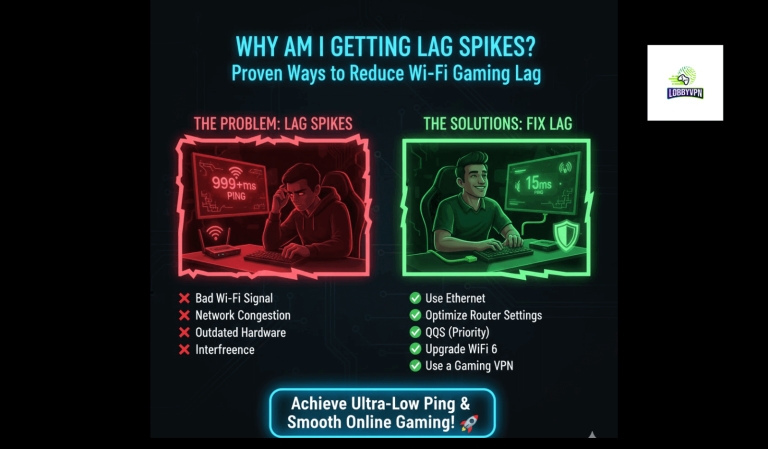
Common Causes
- Wireless Interference: Microwaves, cordless phones, and Bluetooth devices disrupt 2.4GHz and 5GHz bands.
- Network Congestion: Multiple devices streaming or downloading simultaneously.
- Weak Signal Strength: Distance from router and physical obstructions.
- Dynamic Frequency Selection: Routers switching channels to avoid radar signals.
- Background Activity: Updates, cloud syncs, or downloads consuming bandwidth.
- QoS Misconfiguration: Poor router prioritization of gaming traffic.
- Router/Modem Issues: Outdated firmware or hardware limitations.
- ISP Throttling: Some ISPs intentionally slow gaming traffic.
Case Study: Ethernet vs. Wi-Fi Gaming
A controlled test comparing Ethernet and Wi-Fi connections found:
| Connection Type | Average Ping | Stability | Packet Loss |
|---|---|---|---|
| Wi-Fi (5 GHz) | 45 ms | Moderate | 2% |
| Ethernet | 18 ms | High |
👉 Switching to Ethernet reduced ping by 60% and eliminated most lag spikes, proving wired connections remain the gold standard for competitive gaming.
7 Proven Ways to Reduce Lag Spikes Over Wi-Fi
1. Use a Good VPN
A gaming VPN can reroute traffic through optimized servers, bypass ISP throttling, and reduce latency.
- Best Gaming VPN for COD Players: Services like LobbyVPN or NordVPN offer dedicated gaming servers.
- Free Bot Lobby VPN Guide for COD: Some VPNs market themselves for easier lobbies, but use with caution.
- Best VPN for Warframe: Choose providers with low-latency servers near your region.
2. Test Your Internet Speed
Run ping tests using CMD, Speedtest by Ookla, or Fast.com. . Consistently high ping indicates ISP or router issues.
3. Close Background Programs
Use Task Manager (Windows) or Activity Monitor (Mac) to end bandwidth-heavy processes like cloud syncs or updates.
4. Reboot Your Network Device
Restart routers and modems weekly to clear cache and refresh connections.
5. Configure the Network Adapter
Adjust settings like 802.11n Mode and Channel Width for optimal performance. Update drivers regularly.
6. Flush DNS
Switch to faster DNS servers:
- Google DNS for PS5 → 8.8.8.8 / 8.8.4.4
- Cloudflare DNS → 1.1.1.1 This reduces latency and improves response times.
7. Make Registry Changes (Advanced)
Modify Windows Registry settings like NetworkThrottlingIndex to optimize packet handling. Proceed with caution.
Pro Tips: Prevent Lag Spikes Long-Term
- Position Your Router: Place centrally, away from obstructions.
- Enable QoS: Prioritize gaming traffic.
- Change Wi-Fi Channel: Use less congested channels (36, 40, 44, 48 for 5GHz).
- Upgrade Hardware: Wi-Fi 6 routers or mesh systems improve stability.
- Best Warzone Server Locations: Connect to servers geographically closer for lower ping.
- Best Perks for Warzone: Optimize gameplay alongside network fixes.
FAQ Schema (SEO Featured Snippets)
Q1: Can CPU cause lag spikes? Yes. Overheating or overloaded CPUs can cause stuttering that feels like network lag.
Q2: Does higher FPS cause lag? No. Higher FPS improves smoothness. Lag spikes are network-related, not FPS-related.
Q3: Will a Wi-Fi booster help? Yes. Extenders improve coverage, reducing packet loss and spikes.
Q4: Best Free VPN for Call of Duty? Free VPNs often have limited bandwidth and higher latency. Paid options like NordVPN or LobbyVPN are more reliable.
Q5: Best VPN for COD Bot Lobbies? Specialized services like LobbyVPN market themselves for SBMM bypass, but they carry ban risks.
Conclusion: Take Control of Your Gaming Experience
Lag spikes don’t have to ruin your sessions. By asking “why am I getting lag spikes?” and applying these fixes — from DNS optimization to VPNs and router upgrades — you can dramatically improve performance.
For competitive players, Ethernet remains the ultimate solution, but with the right Wi-Fi strategies, you can achieve near-wired stability.
Start optimizing your setup today. Share this guide with fellow gamers searching for “How to Fix Lag in Call of Duty” or “Best VPN for COD Bot Lobbies”. Together, we can build a lag-free gaming community.