
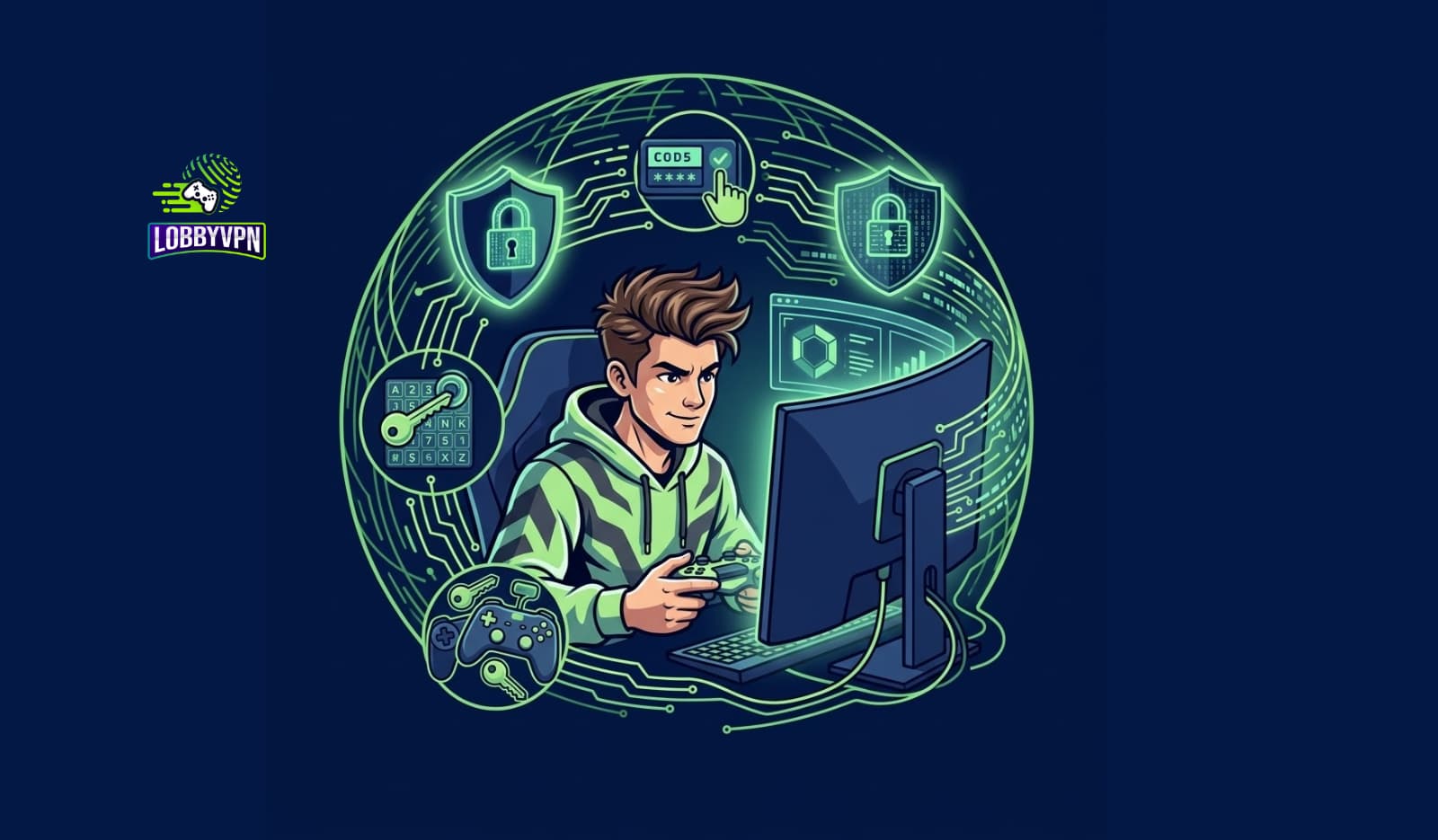
Cybersecurity tips for gamers usually read like they were written for someone’s IT department — dense, generic, and completely blind to how gaming actually gets people compromised. Nobody steals a Warzone account through a zero-day exploit. They steal it with a fake “free skin” link, a cracked cheat loader, or a password you last changed when Modern Warfare 3 meant the 2011 one.
At Lobby VPN, we protect gamers’ connections for a living, and that front-row seat has taught us where the real damage happens: accounts drained and resold, PCs infected by “aim trainers,” IPs harvested for revenge booting, and identities pieced together from careless profiles. So this guide skips the corporate boilerplate. Instead, you get fifteen rules organized across the four surfaces attackers actually hit — your accounts, your devices, your network, and your identity — each with the reasoning, the setup steps, and the gaming-specific traps generic advice never mentions.
Fifteen rules. One afternoon. Years of protection.
The 15 Cybersecurity Tips at a Glance
The essential cybersecurity tips for gamers are: (1) unique passwords via a password manager, (2) 2FA on every gaming account, (3) lock down account recovery details, (4) audit connected apps, (5) never install cracked games or cheat tools, (6) download only from official stores, (7) keep systems and launchers updated, (8) separate gaming from sensitive activities, (9) hide your IP with a gaming VPN, (10) harden your router, (11) lock platform privacy settings, (12) treat every unsolicited link as hostile, (13) compartmentalize your gaming identity, (14) share nothing dox-able, and (15) rehearse your incident response. Accounts, devices, network, identity — cover all four surfaces and you’re harder to hit than 99% of lobbies.
Each rule earns its slot below, with gaming-specific details that generic security lists miss.
Why Gamers Are Prime Targets
Attackers follow value, and gaming accumulated a lot of it while nobody was framing it as an asset class. A mature Steam library, a stacked Fortnite locker, a high-rank Valorant account, decade-old Call of Duty progress — these carry real resale value on gray markets, and unlike bank fraud, stolen accounts often go unrecovered for days.
Beyond money, gaming offers attackers three structural advantages. First, emotion: competitive tilt makes players click things and trust “teammates” in ways they never would in an email inbox. Second, culture: downloading third-party tools, mods, and clients is normalized, which camouflages malware delivery. Third, exposure: lobbies, voice chats, and Discord servers put strangers adjacent to your network traffic and personal details every night.
None of that means paranoia. It means the fifteen rules below aren’t hypothetical — each one closes a door attackers actively use.
Surface 1: Account Security (Tips 1–4)
Tip 1: Unique Passwords, Managed Properly
Credential stuffing — testing passwords leaked from one breach against every other service — is the number-one account takeover method in gaming, precisely because players reuse passwords across Steam, Battle.net, PSN, Xbox Live, Epic, and Discord. One breach anywhere becomes a skeleton key everywhere.
The fix costs nothing: a password manager generating a unique password per account. Twenty minutes of setup permanently retires the entire attack class. If you do nothing else from this guide, do this.
Tip 2: Two-Factor Authentication on Everything
2FA turns a stolen password into a failed login. Every major platform offers it — Steam Guard, Battle.net Authenticator, PSN and Xbox app-based 2FA, Epic, Riot, Discord — and several sweeten the deal with in-game rewards for enabling it. Prefer app-based authenticators over SMS where offered, since SIM-swapping attacks specifically target text-message codes. Five minutes per account; enable it on your email first, because email is the master key to everything else.
Tip 3: Lock Down Recovery Details
Account recovery is the attacker’s side entrance. An old, breached email as your recovery address, or security answers scattered across your public profiles (“first pet’s name” — posted lovingly on Instagram), undermines every other protection. Point recovery at a secure, 2FA-protected email, and treat security questions as second passwords: fabricated answers, stored in the password manager.
Tip 4: Audit Connected Apps and Sessions
Stats trackers, tournament platforms, Discord bots, and overlay services accumulate OAuth access to your accounts over years. Most are legitimate; some get compromised; a few were harvesting from day one. Quarterly, open each platform’s connected-applications page, revoke anything you don’t actively use, and sign out all sessions after any suspicious activity.
Surface 2: Device Security (Tips 5–8)
Tip 5: Never Install Cracked Games or Cheat Software
Here’s the uncomfortable truth stated plainly: cheat loaders and cracked games are the single largest malware delivery channel in gaming. Security vendors routinely dissect “undetected aimbots” and “free game” torrents concealing info-stealers that harvest saved passwords, session cookies (which bypass 2FA), crypto wallets, and Discord tokens. The download that promised an edge takes your entire digital life instead — and there is no antivirus arrangement that makes this trade safe.
Tip 6: Download Only From Official Sources
The softer version of the same rule covers legitimate software: get games from Steam, Epic, PSN, Xbox, and official publisher sites — not “mirror” links from Discord or YouTube descriptions. Fake installers for popular titles and launchers are a perennial campaign, complete with convincing websites and purchased search ads. Type the store URL yourself; skip the shortcut someone helpfully provided.
Tip 7: Keep Everything Updated
Unpatched systems, GPU drivers, launchers, and — critically — Discord clients carry known, weaponized vulnerabilities. Enable automatic updates on the OS and every launcher, and restart when prompted instead of deferring for eleven days. Updates are unglamorous; so is being compromised by a bug fixed months ago.
Tip 8: Separate Gaming From Sensitive Activities
Where practical, keep banking, work credentials, and primary email off the machine that installs mods and community content — or at minimum, in a separate browser profile with its own passwords. Compartmentalization means a gaming-side compromise stays a gaming-side problem, not a full identity event.
Surface 3: Network Security (Tips 9–12)
Tip 9: Hide Your IP Address While Gaming
Your public IP is the coordinate attackers need for booting attacks, and it leaks through peer-to-peer connections, logger links, and shady tools. Routing your traffic through a VPN replaces that coordinate with hardened datacenter infrastructure — attackers see the shield, never the target. The classic objection (VPNs add lag) is a solved problem when the service is built for gaming: proximity-based routing and lightweight protocols like WireGuard protect ping while protecting you, which is exactly the balance Lobby VPN was engineered around. For the complete anti-booting playbook — platform-specific settings, streamer tactics, and the mid-attack response sequence — our dedicated guide on how to avoid DDoS attacks while gaming covers that entire battlefield in depth.
Tip 10: Harden Your Router
The router is your home’s border checkpoint and the most neglected device in it. The essential pass: current firmware (auto-update if offered), default admin password replaced, remote administration disabled, UPnP and port-forwarding rules audited, firewall verified on. Fifteen minutes, once, plus a quarterly glance. A compromised router doesn’t just expose you — it gets conscripted into the botnets that attack everyone else.
Tip 11: Lock Platform Privacy Settings
PSN, Xbox Live, Steam, and Discord all default to more openness than competitive players should accept. Set messages and invites to friends-only, hide your online status from strangers where possible, restrict Discord DMs and calls to friends, and decline party invites from hostile lobbies. Privacy settings are unglamorous security controls — and they’re the ones that starve social-engineering attempts before they start.
Tip 12: Know Your Connection’s Healthy Baseline
You can’t spot an anomaly without knowing normal. Wire the console or PC, test ping and packet loss during your usual play hours, and understand your bandwidth reality — our data-driven answer to is 100 Mbps enough for Call of Duty sets that baseline for the most common plan tier. A player who knows their connection’s normal behavior identifies attacks, ISP issues, and Wi-Fi trouble in minutes instead of nights — and enjoys better performance every session as a side effect.
Surface 4: Identity & Social Security (Tips 13–15)
Tip 13: Compartmentalize Your Gaming Identity
Your gamertag shouldn’t be a breadcrumb trail to your front door. Use a dedicated email for gaming accounts, keep real names off competitive profiles, and avoid recycling one username across gaming, social media, and professional platforms — username correlation is the first move in every doxxing attempt. Separate compartments mean one exposure doesn’t unlock the rest.
Tip 14: Share Nothing Dox-able
Attackers assemble identities from fragments players hand over voluntarily: a street visible on stream, a school name in voice chat, a birthday in a Discord bio, an IP in an uncropped screenshot. The discipline is simple — before sharing any image or detail publicly, ask what a hostile stranger could do with it. Crop ruthlessly, blur reflexively, and treat voice-chat small talk with strangers as public broadcasting, because functionally it is.
Tip 15: Rehearse Your Incident Response
Security’s final layer is knowing what to do when something happens anyway. Write down, in advance: how to trigger each platform’s account-recovery flow, how to force-logout all sessions, how to rotate your IP through your router or ISP, and where each platform’s report channels live. Compromises escalate in the minutes victims spend googling; rehearsed players contain them before the damage compounds.
The Gaming Scam Hall of Fame (Know the Patterns)
Techniques change; patterns don’t. Recognize these five and you’ll recognize their grandchildren:
| Scam Pattern | The Hook | The Harvest | The Tell |
|---|---|---|---|
| Free currency/skins | “Free V-Bucks / CoD Points generator” | Login credentials, payment info | Legitimate currency is never free off-platform |
| Fake tournaments | “You’ve been invited — register your account” | Credentials via cloned login pages | Real organizers never need your password |
| The friendly trader | Off-platform trade “for better rates” | Items sent, payment never arrives | Any push off official trade systems |
| The apology link | Post-argument DM: “lol look at this clip” | Your IP address (logger link) | Hostility followed by sudden friendliness |
| Cheat/booster “tools” | “Undetected, free, works after update” | Full info-stealer payload | Cheats are malware’s favorite costume |
The unifying tell across all five: urgency plus a link plus an emotional state. Slow down, and the pattern exposes itself.
Special Cases: Streamers, Kids, and Competitive Players
Streamers inherit every risk at amplified scale: public schedules, visible identity, and audiences containing their attackers. The additions to the base fifteen: broadcast delay, strict OBS scene discipline (no router pages, no Discord windows, no dashboards), a separate streaming email, and VPN protection without exception. Swatting risk also makes identity compartmentalization non-negotiable rather than advisable.
Younger players need the social rules most: no personal details in voice chat, no off-platform “friends,” purchases locked behind parental approval, and an explicit family agreement that clicking links from lobbies is never okay. Platform family controls on PSN, Xbox, and Steam handle the mechanical half; conversation handles the rest.
Competitive players should fold security into their existing optimization mindset. The same audit that tunes performance — wired connection, clean tools, stable routing — is 80% of a security review. A player who obsesses over gear (down to debates like SCUF vs DualSense Edge) but leaves 2FA off has armored the wrong asset: the account holding your rank, skins, and history outvalues any controller in the drawer.
Expert Insights: What Actual Incidents Teach
Patterns from the incidents that cross our desks at Lobby VPN:
Compromises chain; they rarely strike alone. The textbook case from our community: a player installed a “recoil script,” which stole his Discord token, which let attackers message his friends the same malware from his account, which harvested one friend’s session cookies, which emptied that friend’s Steam inventory — all inside forty-eight hours. Four victims, one download. The lesson generalizes: every tip in this guide protects your friends list as much as you, because in gaming security, trust is transitive.
The “temporary exception” is where discipline dies. Nearly every account-takeover story includes a sentence like “I normally never click those, but—”. Attackers engineer the exception: mid-tournament urgency, a mimicked friend, a prize with a countdown. Consequently, the rules that matter are the ones you keep under pressure, which is why rehearsal (Tip 15) belongs in a security list at all.
Boring hygiene beats heroic response. We’ve watched players spend days recovering accounts that a password manager and 2FA would have protected in twenty-five total minutes of setup. The asymmetry is absurd and universal — prevention is cheap, response is expensive, and the gap only widens as your accounts age and appreciate.
Performance and security are the same audit. A hardened network — updated router, wired baseline, stable routing, sane DNS — is simultaneously a faster one. Even resolver choice pulls double duty, as our guide to the best DNS servers for gaming shows: cleaner lookups, and one less layer for attackers to poison. Optimizing and securing your setup aren’t two projects. They’re one project with two payoffs.
Statistics & Data
The threat landscape, with sources worth citing:
- Gaming is a top-tier target sector. Threat reports from Akamai, Cloudflare, and NETSCOUT have repeatedly placed gaming among the most-attacked industries, spanning DDoS floods, credential stuffing, and web attacks — with credential-stuffing attempts against gaming platforms measured in the billions across recent reporting periods.
- Stolen accounts are a functioning economy. Research from Kaspersky, Norton, and security journalists documents thriving gray markets for high-value Steam, Fortnite, and shooter accounts, with pricing tied to rank, skins, and library value — the financial engine behind gaming credential theft.
- Cheats are a malware pipeline. Repeated analyses from vendors including Kaspersky and Sophos have dissected info-stealer campaigns disguised as game cheats and cracks, harvesting browser credentials, session cookies, wallets, and Discord tokens at scale.
- 2FA demolishes automated takeover. Large-scale studies — including Google’s landmark account-security research — found that on-device second factors block the overwhelming majority of automated and bulk phishing attacks, which is precisely the attack class gaming accounts face.
- Booting is cheap and prosecuted. International law-enforcement operations (the FBI/Europol “PowerOFF” seizures) documented DDoS-for-hire subscriptions at tens of dollars — and produced convictions of operators and customers, underlining both the accessibility of the threat and its legal gravity.
Direct sources: Akamai and Cloudflare threat reports, Kaspersky and Sophos malware analyses, Google account-security research, and Europol/FBI PowerOFF disclosures.
Common Mistakes
- Protecting the PC but not the email. Email is the master key: whoever controls it controls every recovery flow. Secure it first, hardest.
- Treating 2FA prompts as friction to click through. An unexpected 2FA prompt is the alarm working — someone has your password. Deny it, then change that password immediately, not eventually.
- Assuming consoles are immune. PS5 and Xbox players face account phishing, IP-based booting, and social engineering just like PC players; only the malware vector is smaller. Console security is settings plus habits, not hardware smugness.
- Trusting tools because a streamer used them. Sponsorships and compromises both exist. Vet software by developer and distribution channel, not by whose overlay it appeared in.
- Confusing a VPN with total security. IP concealment is one surface of four. A VPN doesn’t stop phishing, malware, or password reuse — pair it with the account and device tips, and understand free-tier trade-offs first via our honest review of best free VPN for Call of Duty options.
- Sharing “harmless” details across months. No single post doxxes you; the archive does. Attackers read backwards through profiles precisely because victims think in single posts.
- Having no plan for the bad day. The gap between a contained incident and a catastrophe is usually the first thirty minutes — and whether you spent them executing or googling.
Best Practices: The One-Afternoon Security Setup
The complete implementation, ordered by impact per minute:
- Password manager installed, email password rotated first. (20 min)
- 2FA enabled: email, then Steam/PSN/Xbox/Battle.net/Epic/Riot/Discord. (25 min)
- Recovery emails and security answers audited into the manager. (10 min)
- Connected apps revoked on each platform; all sessions signed out. (10 min)
- Router pass: firmware, admin password, remote admin off, UPnP audited. (15 min)
- Platform privacy locked: friends-only messages/invites, Discord DMs restricted. (10 min)
- Gaming VPN configured — on-device for PC, router-level for consoles — and set to auto-connect for play sessions. (15 min)
- Incident-response note written: recovery URLs, logout-everywhere steps, IP-rotation procedure, report channels. (10 min)
- Quarterly recurring reminder created for steps 4, 5, and a settings sanity check. (2 min)
Under two hours, most of it one-time. Meanwhile, the ongoing rules — no cracked software, no lobby links, ruthless cropping — cost nothing but attention.
Frequently Asked Questions
What are the most important cybersecurity tips for gamers?
Use unique passwords with a manager, enable 2FA on every gaming account and your email, never install cracked games or cheat tools, hide your IP with a gaming VPN, harden your router, lock platform privacy to friends-only, and treat unsolicited links as hostile. Cover accounts, devices, network, and identity.
How do gaming accounts get hacked?
Mostly through credential stuffing (reused passwords tested from other breaches), phishing pages mimicking login screens, and info-stealing malware bundled with cheats or cracked games. Sophisticated exploits are rare; recycled passwords and malicious downloads do the real damage.
Is 2FA really necessary for gaming accounts?
Yes. Two-factor authentication turns a stolen password into a failed login, and research shows app-based second factors block the vast majority of automated takeover attempts. Several platforms even offer in-game rewards for enabling it — take the five minutes.
Can a VPN protect me while gaming?
For the network surface, yes: a VPN hides your IP so booting attacks have nothing to target, and a gaming-focused service does it without taxing your ping. It doesn’t stop phishing or malware, so pair it with account and device hygiene.
What is a DDoS attack in gaming?
A DDoS attack floods a player’s home connection with junk traffic until game data can’t get through, causing extreme lag or disconnection. It requires the attacker to know your IP address, which is why IP concealment is the core defense.
Are game cheats and cracked games really dangerous?
Extremely. Security vendors repeatedly find info-stealers disguised as cheats and cracks — malware that harvests saved passwords, session cookies that bypass 2FA, crypto wallets, and Discord tokens. It’s the largest self-inflicted infection vector in gaming.
How can I hide my IP address while gaming?
Route your connection through a VPN, so opponents, lobby tools, and logger links see the VPN server’s hardened address instead of your home IP. Consoles that can’t run VPN apps get covered by configuring the VPN at the router level.
How do I know if a gaming link is a scam?
Apply the pattern test: urgency plus a link plus an emotional state (a prize, an argument, a countdown) signals a scam. Legitimate platforms never distribute free currency off-platform, and real tournament organizers never need your password.
Can console players get hacked like PC players?
Console players face phishing, account takeover, IP-based booting, and social engineering equally; only malware exposure is smaller thanks to closed systems. Privacy settings, 2FA, link discipline, and router-level protection cover the console attack surface.
What should I do immediately if my gaming account is stolen?
Trigger the platform’s account-recovery flow, force-logout all sessions, change the password (and email password if shared), review connected apps, and contact platform support with purchase receipts as ownership proof. Speed matters — rehearse these steps before you need them.
Is public Wi-Fi safe for gaming?
Treat it as hostile. Unencrypted public networks expose your traffic to whoever operates or monitors them. If you must play or log in away from home, a VPN encrypts the session — and your accounts’ 2FA becomes the backstop.
How do streamers stay safe from hackers and DDoS attacks?
Streamers layer the standard defenses with broadcast delay, strict scene discipline so no network or personal information appears on screen, compartmentalized accounts and emails, and always-on VPN protection — because their schedules and identities are public by profession.
Should kids have different gaming security rules?
The same technical rules apply, plus stricter social ones: no personal details in voice chat, purchases behind parental approval, platform family controls enabled, and an explicit household rule against clicking links from lobbies or DMs.
How often should I review my gaming security?
Quarterly for the audits — connected apps, router firmware, privacy settings — and immediately after any breach notification affecting a service you use. The daily rules (unique passwords, link discipline, official downloads) run continuously by habit.
Does better security hurt gaming performance?
Done right, it improves it. A hardened router, wired baseline, clean system without shady tools, sane DNS, and gaming-grade VPN routing form a connection that’s simultaneously safer and more stable — security and performance are one audit with two payoffs.

Conclusion
Real cybersecurity tips for gamers come down to four surfaces and fifteen habits: accounts locked behind unique passwords and 2FA, devices kept clean of the cracked-and-cheating malware pipeline, a network that reveals nothing worth attacking, and an identity assembled from compartments instead of breadcrumbs. None of it requires expertise — one afternoon of setup, a few permanent habits, and a rehearsed plan for the bad day.
The quiet bonus deserves the final word: almost every rule here pays a performance dividend. The hardened router is the stable router. The clean system is the fast system. The concealed, well-routed connection is the consistent one. Securing your setup and optimizing it were never separate projects.
That intersection is exactly where Lobby VPN lives — IP concealment and stable, gaming-first routing in one layer, so protection and performance stop being a trade-off.
Fifteen rules make you hard to hit. One connection makes it effortless. Try Lobby VPN today at lobbyvpn.com — and secure the milliseconds while you secure everything else.