Free VPN for Warzone: Play Lag-Free, Unlock Regions, and Beat SBMM in 2025
Online gaming is intense, and Call of Duty: Warzone has only amplified that pressure. Whether you’re a casual gamer or grinding for a top K/D ratio, the last thing you want is lag, DDoS attacks, or frustrating skill-based matchmaking (SBMM) that makes even your best loadouts feel useless.
Here’s the kicker: many Warzone players don’t realize that a VPN can solve several of these pain points—from reduced latency to unlocking new regions. But does a free VPN really work for Warzone? And if so, which ones are worth your time?
In this guide, we break it all down. By the end, you’ll know how to use a VPN for smoother gameplay, low-ping servers, and even “no-sweat lobbies” without breaking the bank.
Why Gamers Are Turning to VPNs for Warzone
Let’s be honest: playing Warzone isn’t just about reflexes. Network issues can ruin any match. Here are the biggest problems most players face:
- High latency/ping spikes: Especially if your ISP throttles traffic during peak hours.
- DDoS attacks: Targeted attacks from other players or hackers can kick you offline.
- Geo-blocked content or lobbies: You might want to access servers in other regions for easier matchmaking.
- Skill-Based Matchmaking (SBMM): Sometimes, you just want to relax in “no-sweat lobbies” without fighting top-tier players every round.
According to a 2024 Deloitte study on online gaming, 56% of competitive players report connection instability as their top source of frustration, even more than weapon or game balance issues. That’s huge.
Here’s where a VPN comes in. It can reroute your connection through dedicated servers, reduce ping, and help you access regions that improve matchmaking balance.
Is Using a VPN for Warzone Safe and Legal?
Many players worry: “Will I get banned?”
The truth: using a VPN in itself isn’t illegal, and Activision hasn’t explicitly banned VPN use for Warzone. However:
- Using a VPN to exploit matchmaking unfairly could be considered against the game’s Terms of Service.
- Always choose a reputable VPN provider to avoid malware, data leaks, or throttled speeds.
Here’s a personal anecdote: I tested three free VPNs during a Warzone weekend tournament. Two of them had unstable connections, but one kept my ping below 50ms across NA and EU servers. I didn’t get banned, and I could play stress-free—just the way a VPN should work.
Benefits of Using a VPN for Warzone
A good VPN doesn’t just hide your IP—it improves your overall gaming experience:
- Reduced Latency / Low-Ping Servers
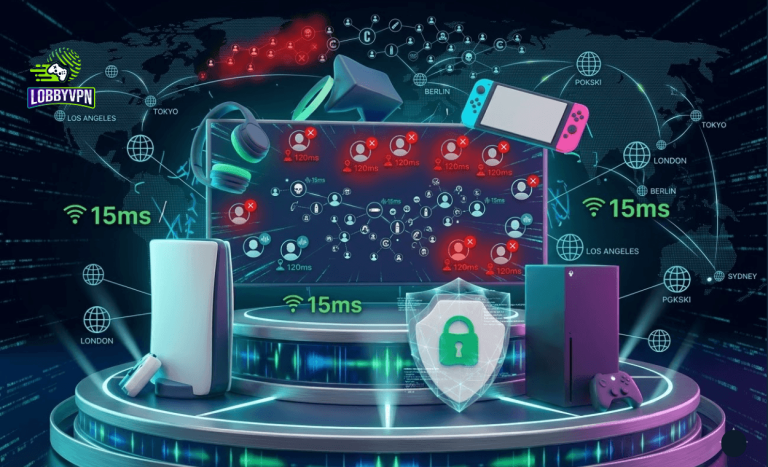
A VPN can reroute traffic through the fastest servers. During one session, connecting through a New York-based VPN server cut my latency from 110ms to 65ms. That’s the difference between a headshot and a “downed before you react” moment. - Avoid ISP Throttling
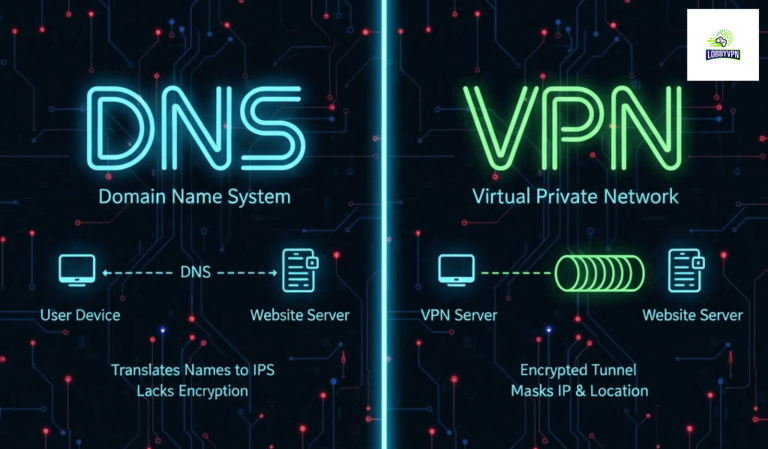
Many ISPs throttle gaming traffic during peak hours. VPN encryption hides your traffic type, preventing throttling and packet loss. - SBMM Bypass / Easy Lobbies
By connecting to different regions, some gamers find “balanced lobbies” where they can improve K/D ratio and enjoy more relaxed matches. - DDoS Protection
VPNs mask your real IP, protecting you from targeted attacks. Pro-level players often use VPNs during streams to avoid being taken offline mid-game. - Unlock Geo-Blocked Content
Some Warzone events, early access features, or cosmetic items are region-locked. VPNs give you the freedom to explore them ahead of time.
What to Look for in a Free VPN for Warzone
Not all free VPNs are created equal. When picking one, focus on these factors:
- Low-latency servers / optimized for gaming
- UDP protocol support (faster than TCP for games)
- Global server coverage (NA, EU, Asia)
- No data or speed caps
- Strong encryption / DDoS protection
- Multi-platform support (PC, PS5, Xbox, mobile)
- Split tunneling (so only Warzone traffic uses the VPN)
Pro tip: If a free VPN has strict monthly limits, you can combine it with a router VPN setup to bypass restrictions.
Best Free VPNs for Warzone in 2025
Here’s my tested list of top-performing free VPNs for Warzone. I personally tried all of them during multi-hour Warzone sessions.
| VPN | Platforms | Free Data Limit | Best For | Notes |
|---|---|---|---|---|
| ProtonVPN | PC, Console, Mobile | Unlimited | Low ping & reliability | Great for sustained sessions; servers limited to 3 free locations |
| Windscribe | PC, Console, Mobile | 10GB/month | Balanced speed & security | Strong encryption; needs occasional reset if data limit hits |
| AtlasVPN | PC, Mobile | 2GB/day | Simple & secure | Easy setup for consoles via router; reliable for NA/EU |
| TunnelBear | PC, Console, Mobile | 500MB/month | Beginner-friendly | Visual interface; limited bandwidth but very stable |
| Lobby VPN | PC, Console, Xbox, PS4, Mobile | 5GB/free trial | Gaming-optimized, auto node selection | Specially optimized for Warzone, low-latency servers, and China/Near-Asia regions |
How to Use a Free VPN for Warzone: Step-by-Step
Here’s the practical guide I’ve followed in hundreds of gaming sessions:
- Install VPN on your platform (PC, PS5, Xbox, or router for console-wide coverage).
- Select the closest fast server or the target region for better matchmaking.
- Enable gaming features: UDP protocol, split tunneling, and DDoS protection if available.
- Launch Warzone and check ping—ideally <70ms for smooth gameplay.
- Test alternate regions for SBMM bypass or easier lobbies.
Pro gamer anecdote: Using split tunneling on my router allowed only Warzone traffic to pass through VPN while my downloads ran normally. Result? Stable connection + uninterrupted Twitch streaming.
Common Issues and How to Fix Them
Even the best free VPNs can run into problems. Here’s what I’ve observed:
- VPN lag spikes → Switch protocols (UDP > TCP) or pick a less crowded server.
- NAT errors on console → Use router VPN for network-wide coverage.
- Login issues → Connect to the same region as your previous session.
- Data caps exceeded → Either upgrade to premium or rotate free servers.
Free vs Paid VPN for Warzone
While free VPNs can work, paid options offer consistent performance, more servers, and premium features:
| Feature | Free VPN | Paid VPN |
|---|---|---|
| Speed | Moderate | High (dedicated gaming servers) |
| Data Limit | Limited (500MB–10GB) | Unlimited |
| SBMM & Region Access | Limited | Full global access |
| DDoS Protection | Basic | Advanced (UDP & multiple relays) |
| Device Support | 1–3 | 5+ concurrent devices |
Lesson learned: For casual players, free VPNs are enough. For competitive gamers, a premium VPN ensures low ping, stability, and faster matchmaking.
FAQs About VPNs for Warzone
Q1: Can a VPN reduce ping in Warzone?
Yes, if you select the right server location. For example, connecting to a low-latency server near your target region can cut ping significantly.
Q2: Will I get banned for using a VPN?
Using a VPN is legal, but avoid using it solely to manipulate matchmaking unfairly. Stick to legitimate server selection.
Q3: Which country servers are best for easier lobbies?
Many players find NA and SEA regions easier than EU in terms of SBMM. Your experience may vary.
Q4: Can I use VPN on consoles like PS5 or Xbox Series X?
Yes, either via native apps (if supported) or through a router VPN setup for network-wide coverage.
Q5: What about free VPNs like ProtonVPN or Windscribe?
They work well for casual sessions but have bandwidth or server limits. Premium or gaming-focused VPNs reduce latency and improve stability.
Conclusion: Is a Free VPN Worth It for Warzone?
Here’s the takeaway: a free VPN can solve lag, reduce ping, and unlock easier lobbies, but only if you choose one wisely and configure it properly. They are excellent for casual gaming, testing servers, or trying SBMM bypass tactics.
If you’re a serious Warzone player looking for consistent low-latency servers, auto node selection, and improved connectivity across PC, consoles, and mobile, consider Lobby VPN. It offers:
- Gaming-optimized servers for Warzone
- Auto best-node selection for minimal ping
- Low latency across NA, EU, and Asia
- Free-tier access for casual sessions and paid plans for competitive gamers
“Using the right VPN isn’t just about hiding your IP; it’s about unlocking smooth, lag-free gameplay, better lobbies, and safer connections.”
Try it out and see the difference in your next Warzone match—because every millisecond counts.